
Refactor your frontend with AI,
page by page, not file by file.
Connect the repo. Every page your code already has is laid out for you to see, redesign and approve, then rebuilt exactly that way.
app/ clients.ts
app/ invoices.ts
Invoices
Who may invoice
How do you refactor frontend code with AI?
Plan it before you rewrite it. Connect the repo, lay out every page the code already has, agree the design and the words on those pages, then rebuild page by page against what was agreed. A chat asked to "clean up the frontend" rewrites files, not pages, and has nothing to check its work against.
Connect the repo
Your code comes in with its history. The sync with GitHub runs both ways from then on.
See every page it has
Nadia lays out the pages the code already has, including the rules nobody wrote down.
Redesign before rewriting
Anouk puts three looks on the pages; you pick one. Jonah rewrites the words in place.
Rebuild what you approved
Devi rebuilds page by page in Next.js, against the pages you signed off, commit by commit.
Agree the new frontend
on the pages first.
Every page is laid out as a sketch, then Anouk designs the same pages. The design, the words and the flow are settled where changing them is free, so the rewrite has nothing left to guess.
 Nadia drew the wireframe
 Anouk painted the same boardTry the switch
Leave a note on anything.
Only that part changes.
Stick a note on the heading or the button, and Anouk changes that one thing and nothing around it. Click a note below to see it happen.
Click a yellow note on the design. Anouk changes that part, and only that part.
You hold every seat. The AI employees do the craft, and nothing is rebuilt until you have seen it.
Then it’s rebuilt
exactly as approved.
Next.js and Postgres, accounts with roles, SSL, committed to your repo as it goes.
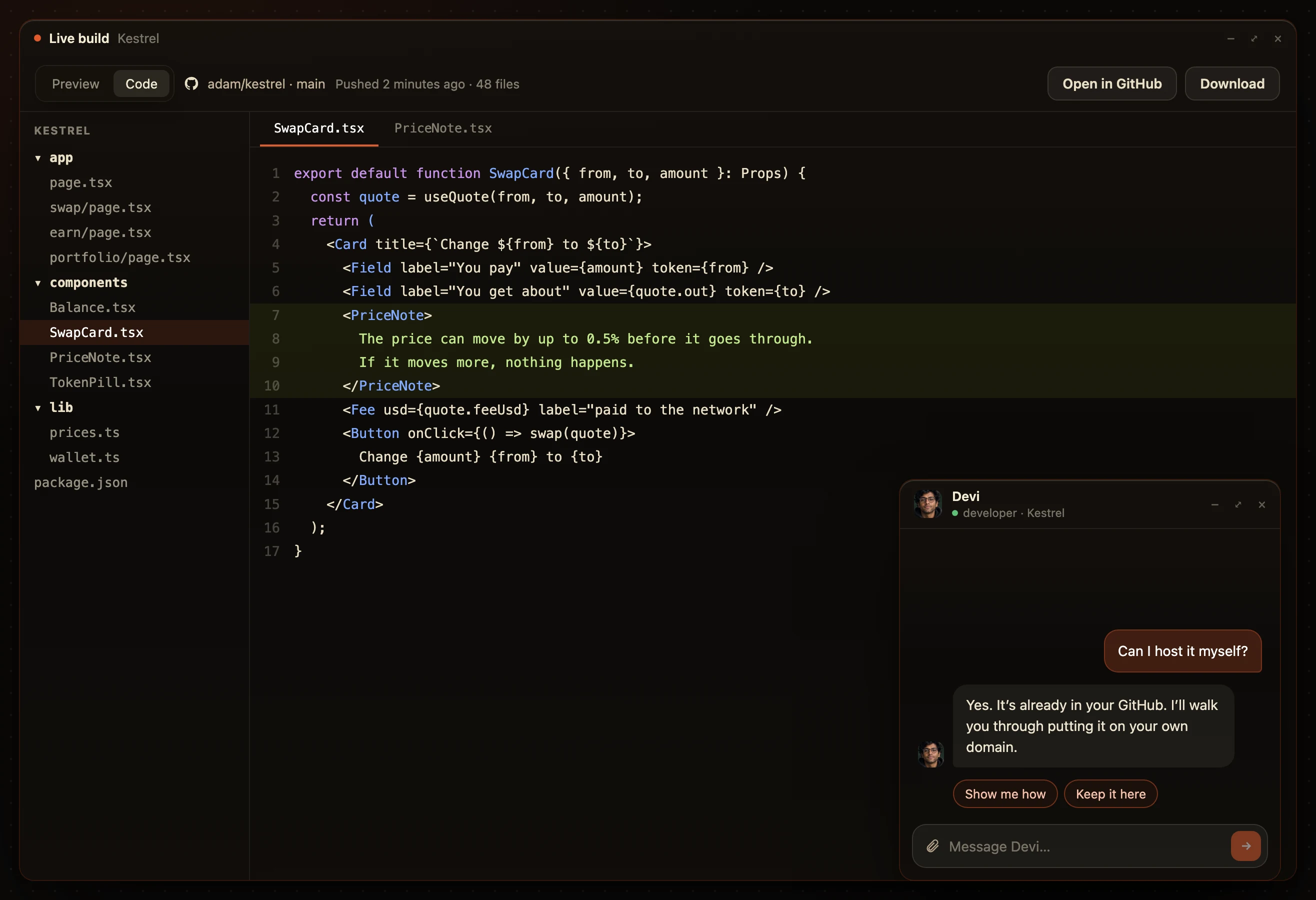
What works stays as it is. Pages you didn’t change are left alone, and every commit is yours.
AI frontend refactor:
common questions.
How do you refactor frontend code with AI?
Plan it before you rewrite it. Connect the repo, lay out every page the code already has, agree the design and the words on those pages, then rebuild page by page against what was agreed. A chat asked to "clean up the frontend" rewrites files, not pages, and has nothing to check its work against.
Why do AI refactors go wrong?
Because the plan is a sentence. The model decides the structure, the layout and the words in one pass, and the parts with no compiler behind them, the layout and the copy, quietly come out worse.
What does the refactor ship as?
A Next.js app with Postgres, accounts with roles and a live URL, committed to your GitHub repo. If your frontend is not Next.js yet, Devi moves it across while rebuilding.
Do I lose what already works?
No. What works stays as it is. The pages you have not approved for a change are left alone, and every commit is in your repo.
What does it cost?
Three days free with every AI employee on, then from $20 a month. Moving and retyping your own pages never uses tokens.