HuntingHydra
AI for freelancers

AI for freelancers.
Get client sign-off before you build.

Turn the brief into a sketch of every page in an hour. Your client leaves notes on it, you agree, and only then does anything get built.
Three days free. Then from $20 a month.
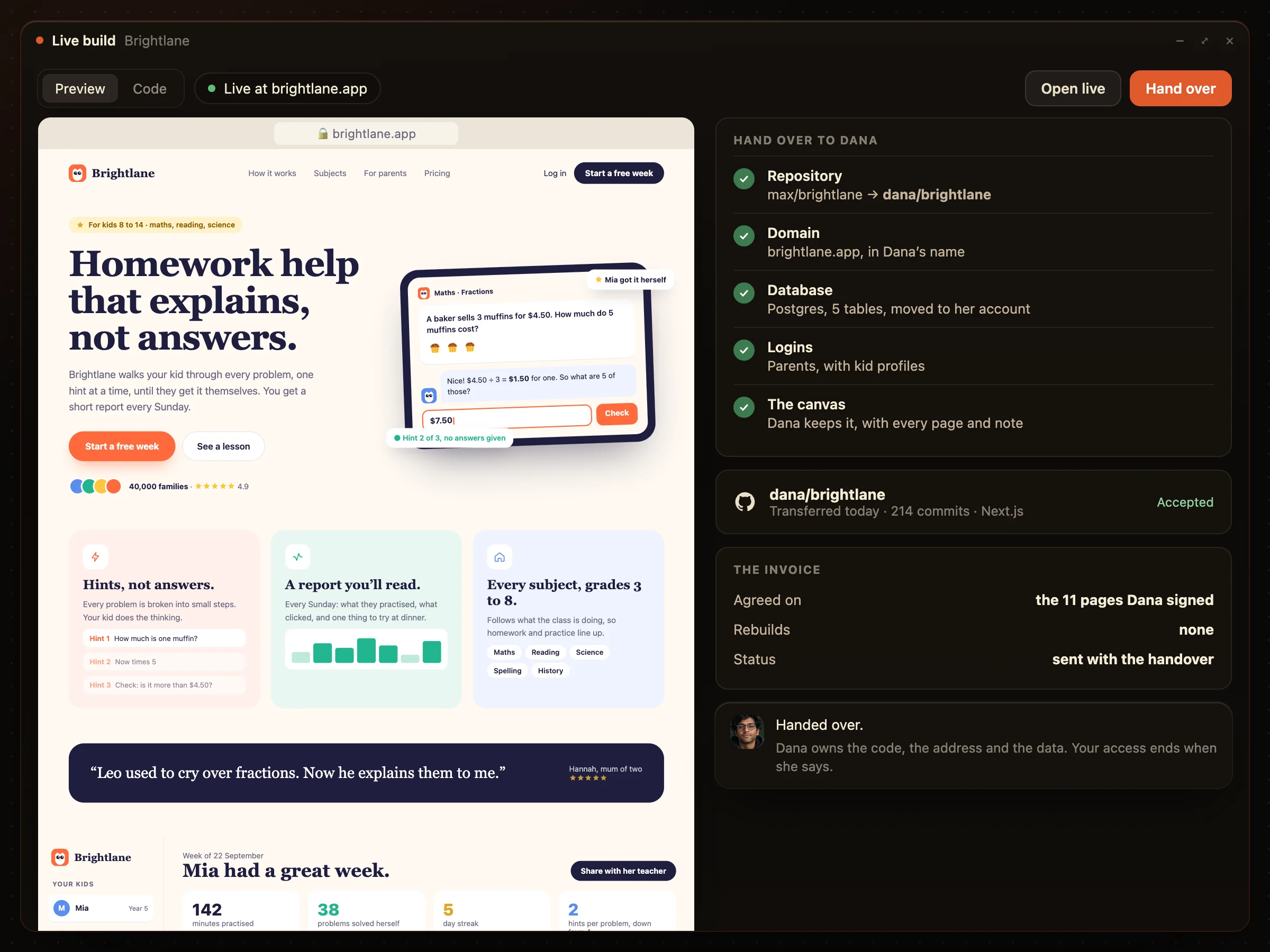
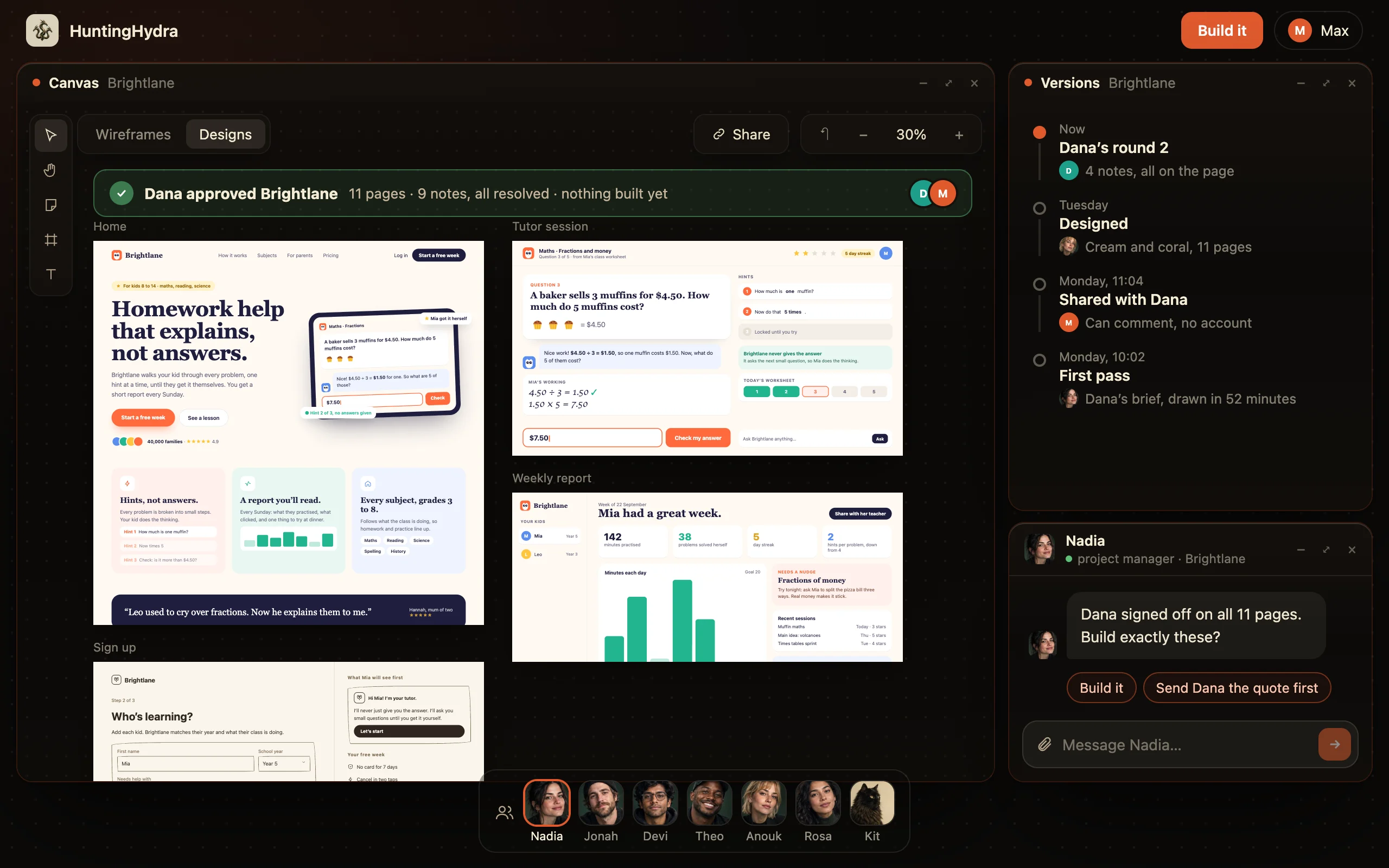
Dana, the client, approved all eleven Brightlane pages before anything is built; Nadia asks Max whether to build
Every page first
Sketched before anything is built
Your edits
Always free
Front to back
Database, logins, a live address
Your code
In your GitHub
The old way

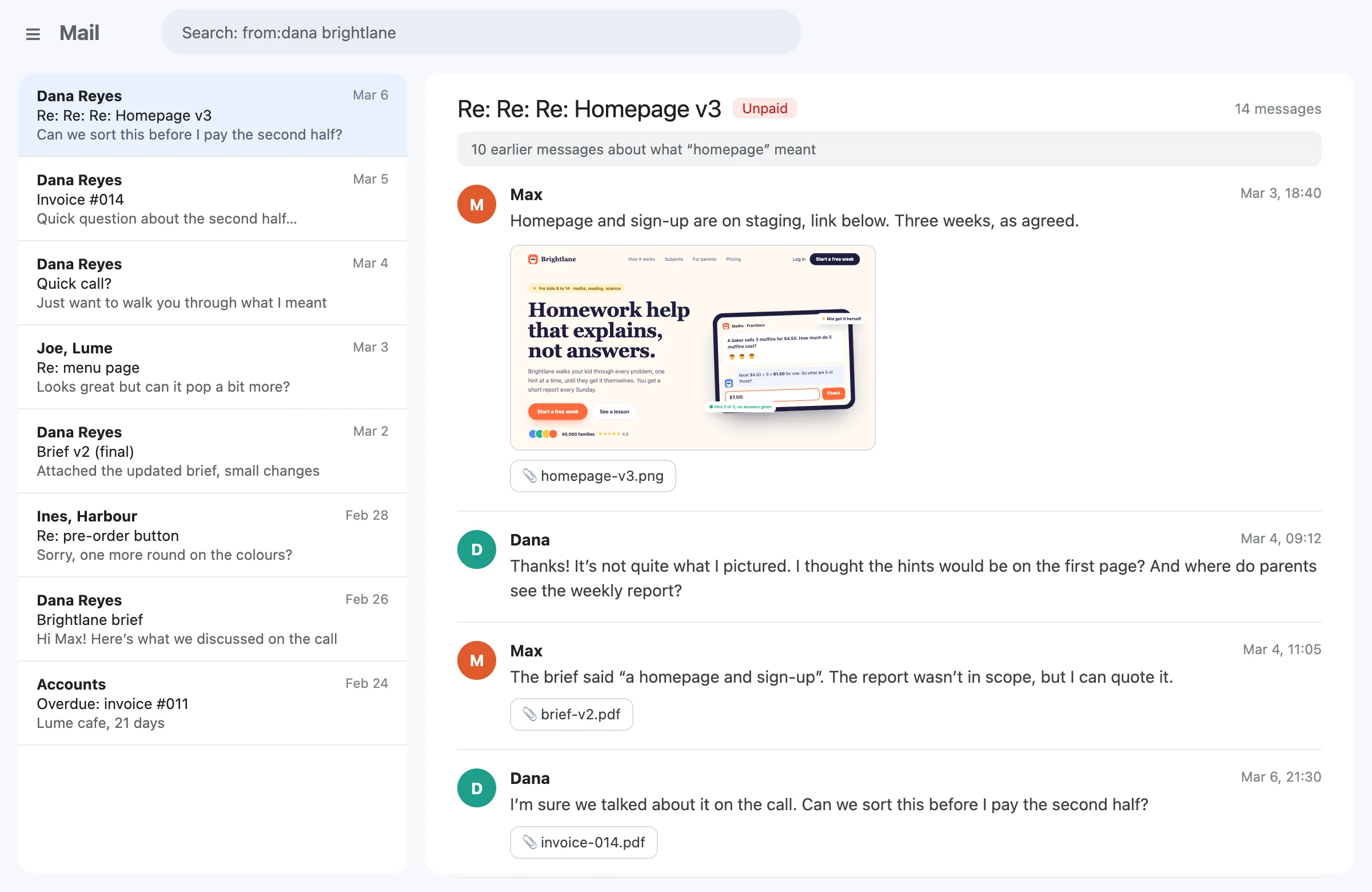
You build, then find out what they meant.

Proposal, wait, build, “not quite”, rebuild, argue the invoice.
  1. YouWrite the proposal
  2. WaitThe client decides
  3. YouBuild it
  4. Wait“Not what I pictured”
  5. YouRebuild it
  6. WaitThe invoice, argued
A fourteen-message email thread between a freelancer and a client about what “homepage” meant, ending at an unpaid invoice
“Half the job was finding out what the brief meant. The other half was doing it twice.”

The best AI tool for freelancers gets the client to agree before you build. HuntingHydra turns a brief into sketched pages in an hour, lets the client leave notes on the exact part, then builds the approved site or app and hands you the code to pass on. More clients in the same week, and no rebuilds.

Client feedback, on the exact spot.

No more “make it pop” emails. The client sticks a note on the part they mean, and only that part changes.
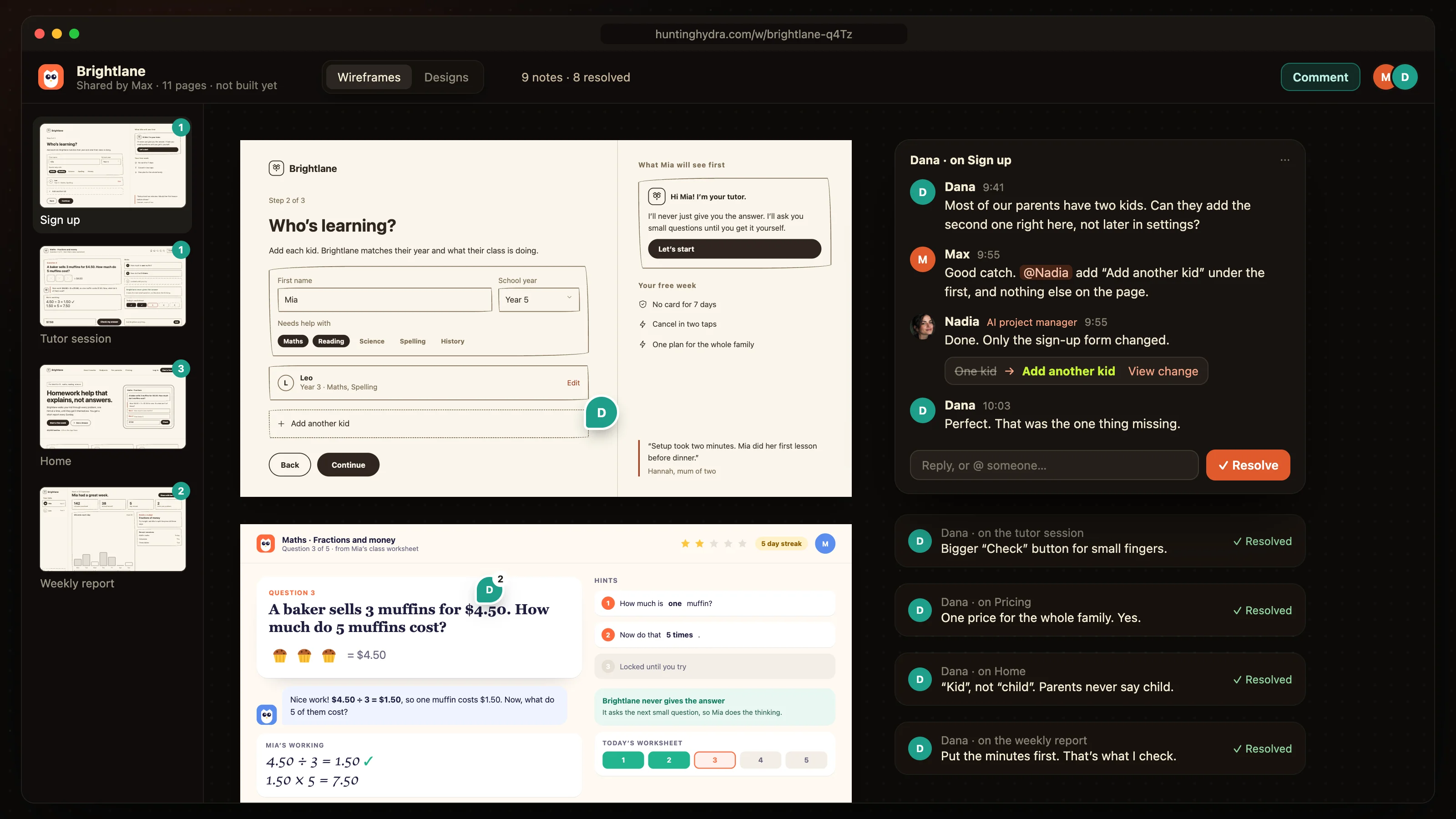
Dana comments on the Brightlane sign-up page from a link; Max sends the change to Nadia and only the form changes

Agree on the pages. Hand over the app.

The plan the client approved is what they get.
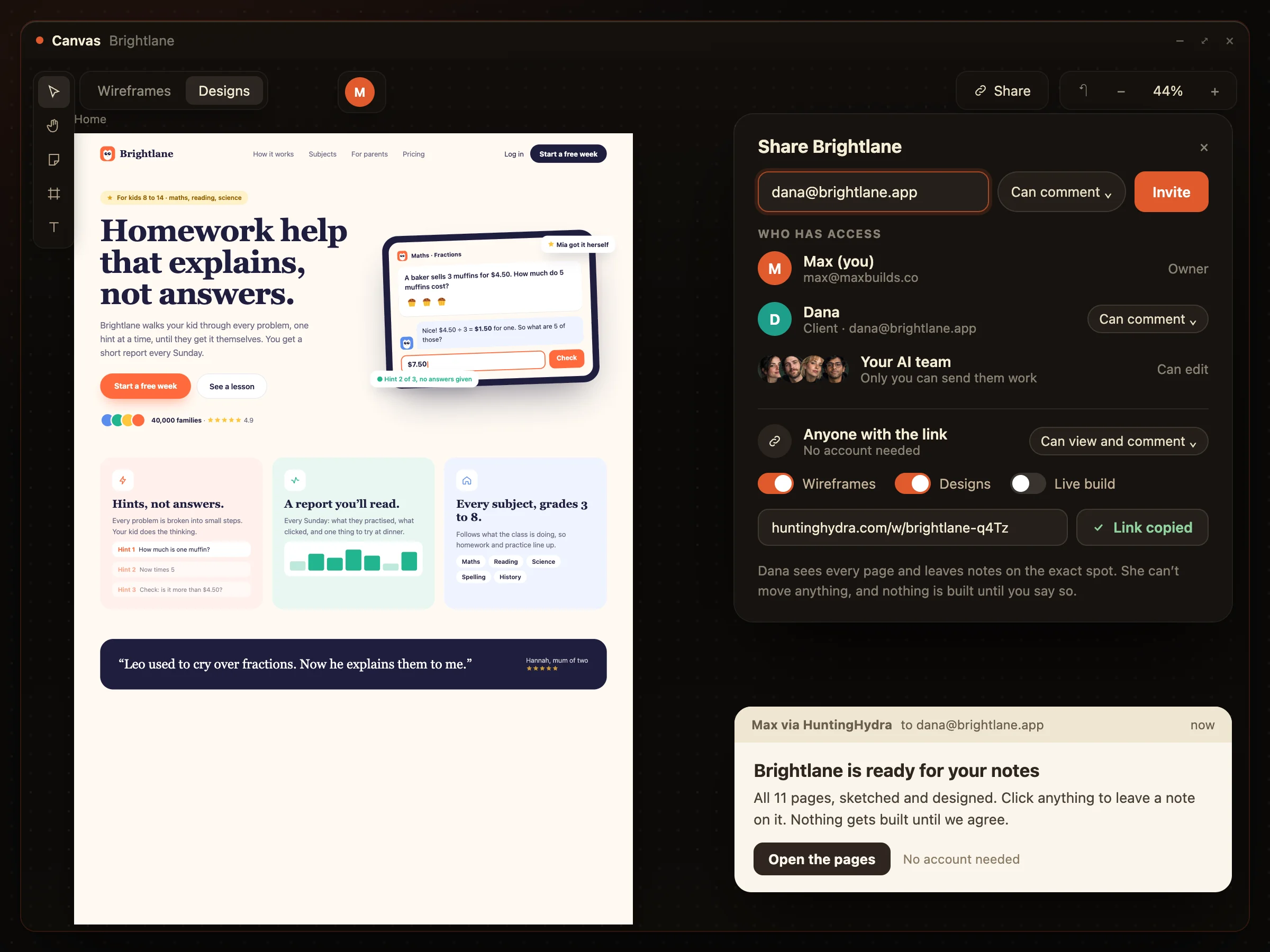
The share. Anyone with the link can look, and leave notes on the pages.
Sharing Brightlane with the client: she can view and comment from a link, and nothing is built until the freelancer says
The handover. A repo in their name, a live URL, done.
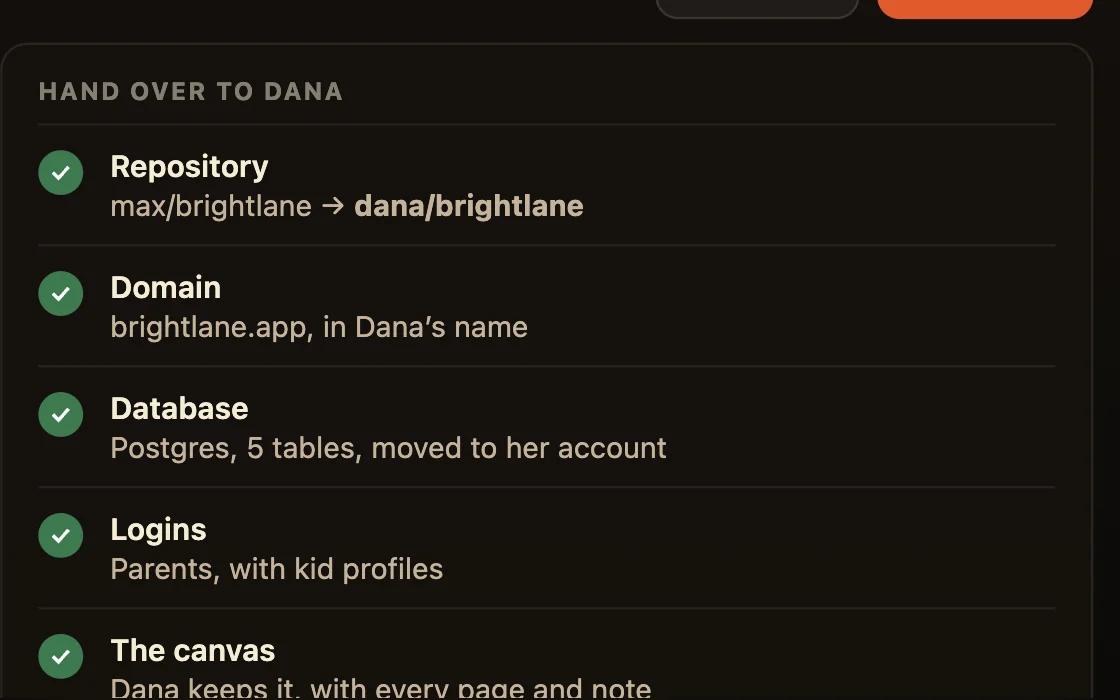
The handover: the repo, domain and database move to the client, with Brightlane live at its address

Three clients, three canvases, one week.

Each project is its own canvas with its own AI employees. Switch between them like folders.
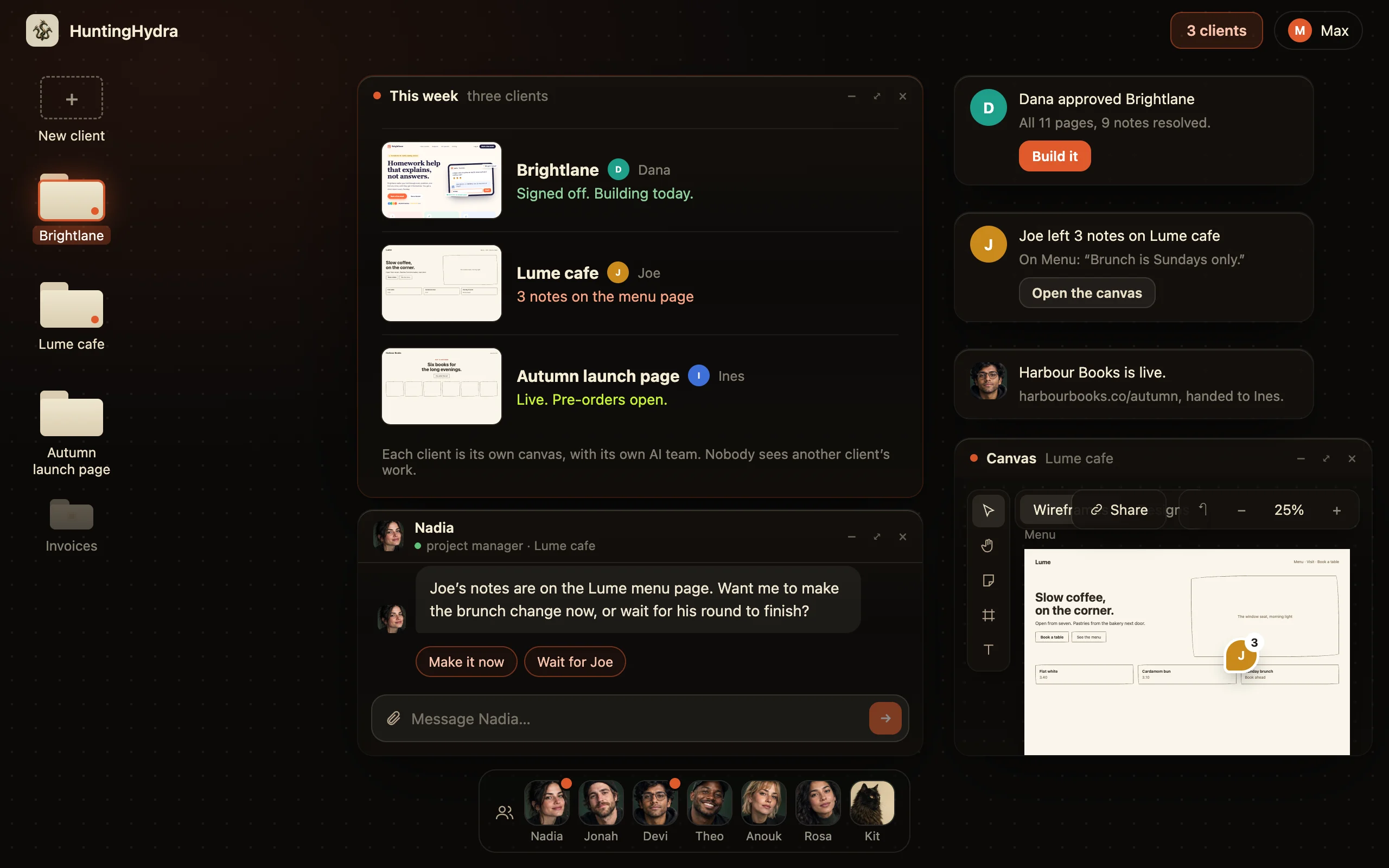
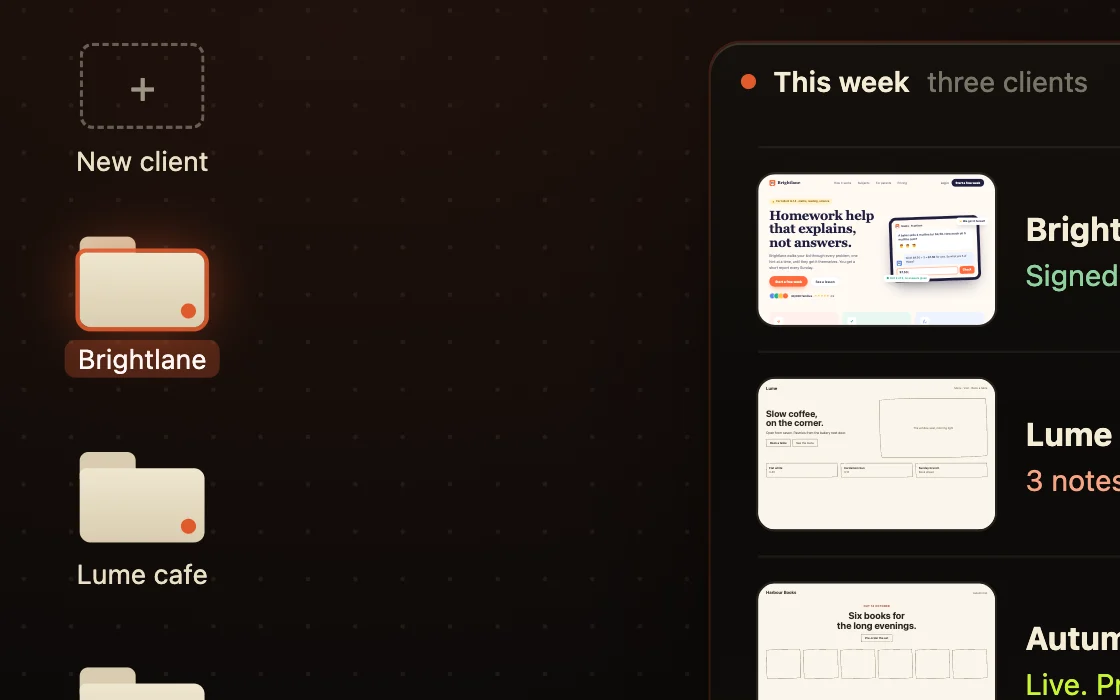
A freelancer’s desktop with three client canvases, each at a different stage this week

What you get as a freelancer.

Design, copy and code on every job, while the client only sees the work.
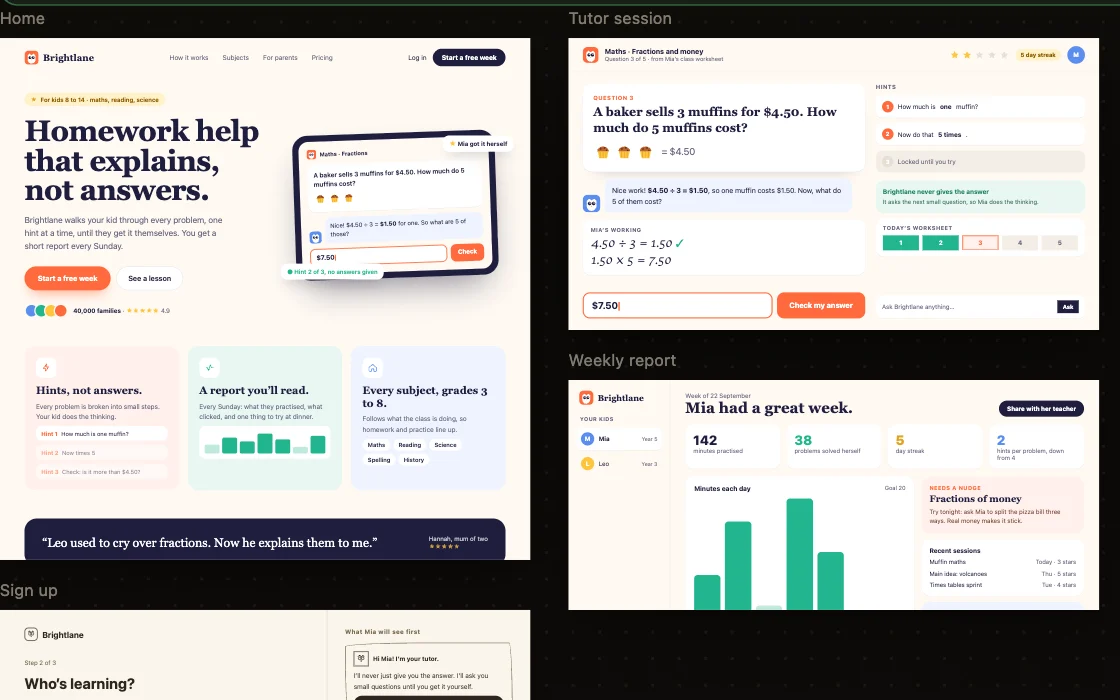
Brightlane’s pages sketched and designed on the canvas

A client-ready sketch in an hour

Win the job with pages, not a proposal doc.
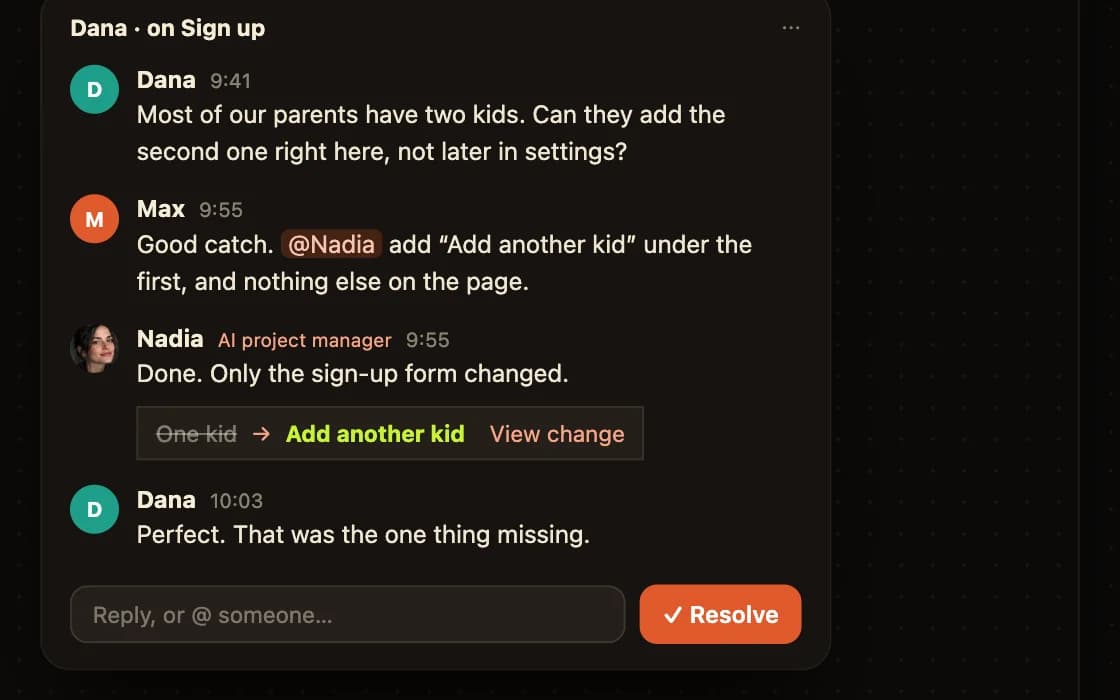
The client’s note thread on the sign-up page

Notes from the client on the page

Feedback on the exact part, in one place.
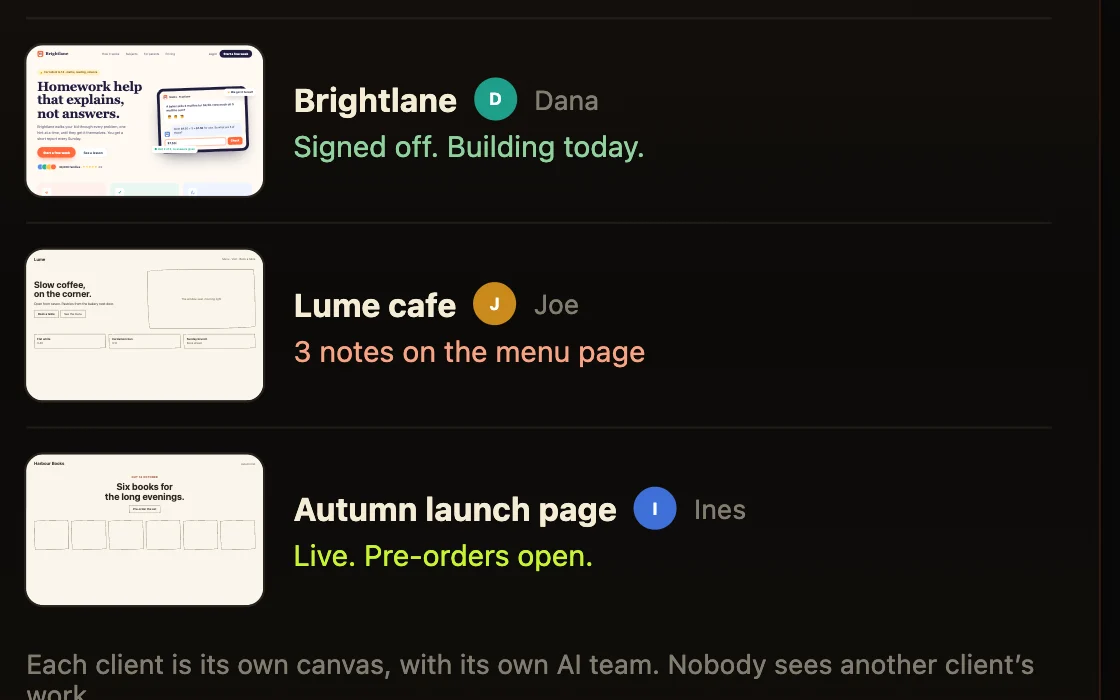
Three client canvases and where each one is this week

Websites, landing pages and apps

Whatever the client asked for.

The handover checklist: repo, domain, database and logins

Hand over the code and the live site

A repo and a URL the client owns.

A freelancer’s client folders

Several clients at once

One canvas per client, like folders.

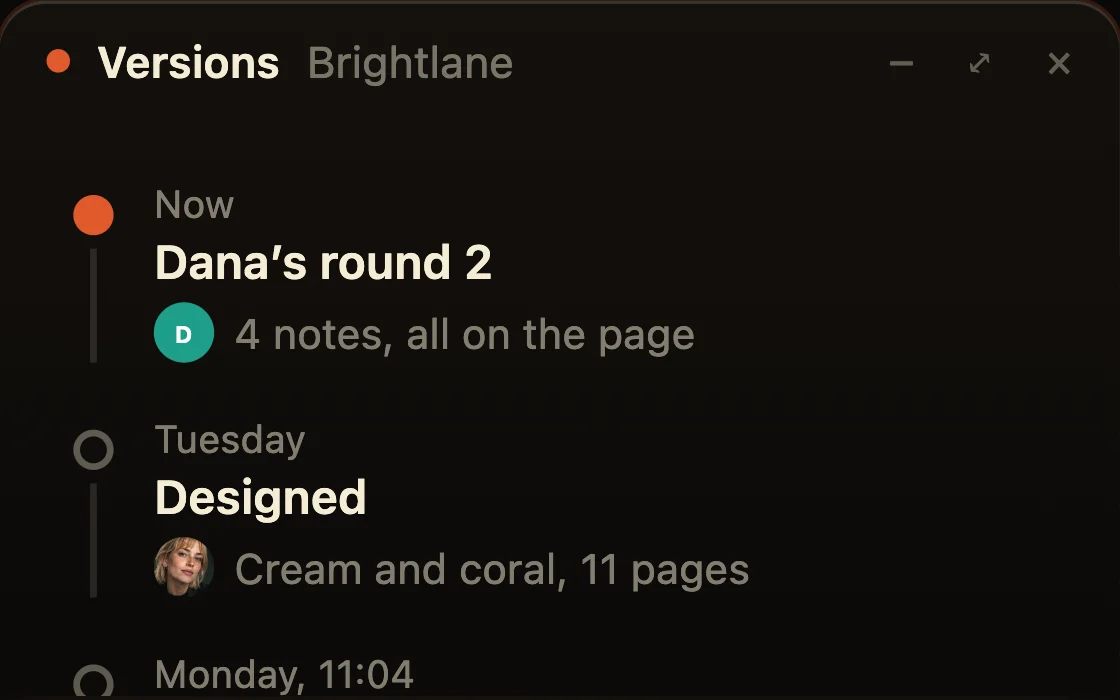
The version history, from first pass to the client’s sign-off

No rebuilds

Build once, after the client agreed.

Nadia
project manager

Nadia

Lays out every page of your product, and keeps them current.

  • Turns the first prompt into a canvas of boards
  • Keeps the plan current as you change your mind
  • Draws the data behind the pages before anyone builds it
On every project
Jonah
copywriter

Jonah

Rewrites every line so a person could have written it.

  • Rewrites every board on your canvas
  • Fixes the templated lines
  • Writes straight into the canvas, not into a doc
Devi
builder

Devi

Builds what you approved, then owns it.

  • Builds every board on the canvas, in the material Anouk set
  • Deploys it and hands you the real URL
  • Fixes what breaks after it is live
On every project
Theo
go to market

Theo

Picks one launch channel and writes the assets.

  • Picks the channel that fits what you built
  • Adds the launch assets to your canvas
  • Says no to the channels that will waste your week
Anouk
designer

Anouk

Three looks to pick from, then the rest in the one you chose.

  • Puts three directions on one board, same page, three materials
  • Draws every board for real in the one you choose
  • Leaves the wireframe layer underneath, on a toggle
Rosa
growth

Rosa

Adds the pages people search for, and the mail that brings them back.

  • Adds the search pages worth owning to your canvas
  • Draws the nudge, the empty state, the mail that brings them back
  • Hands the wording to Jonah so it still sounds like you
Kit
automation

Kit

Wires the step you keep doing by hand.

  • Finds the step you keep repeating and takes it off you
  • One automation at a time, never a catalogue
  • Always draws what you see once it has run

Keep the client after launch.

AI marketers show what works and make the launch posts, pages and emails, so the work keeps going after the first build.
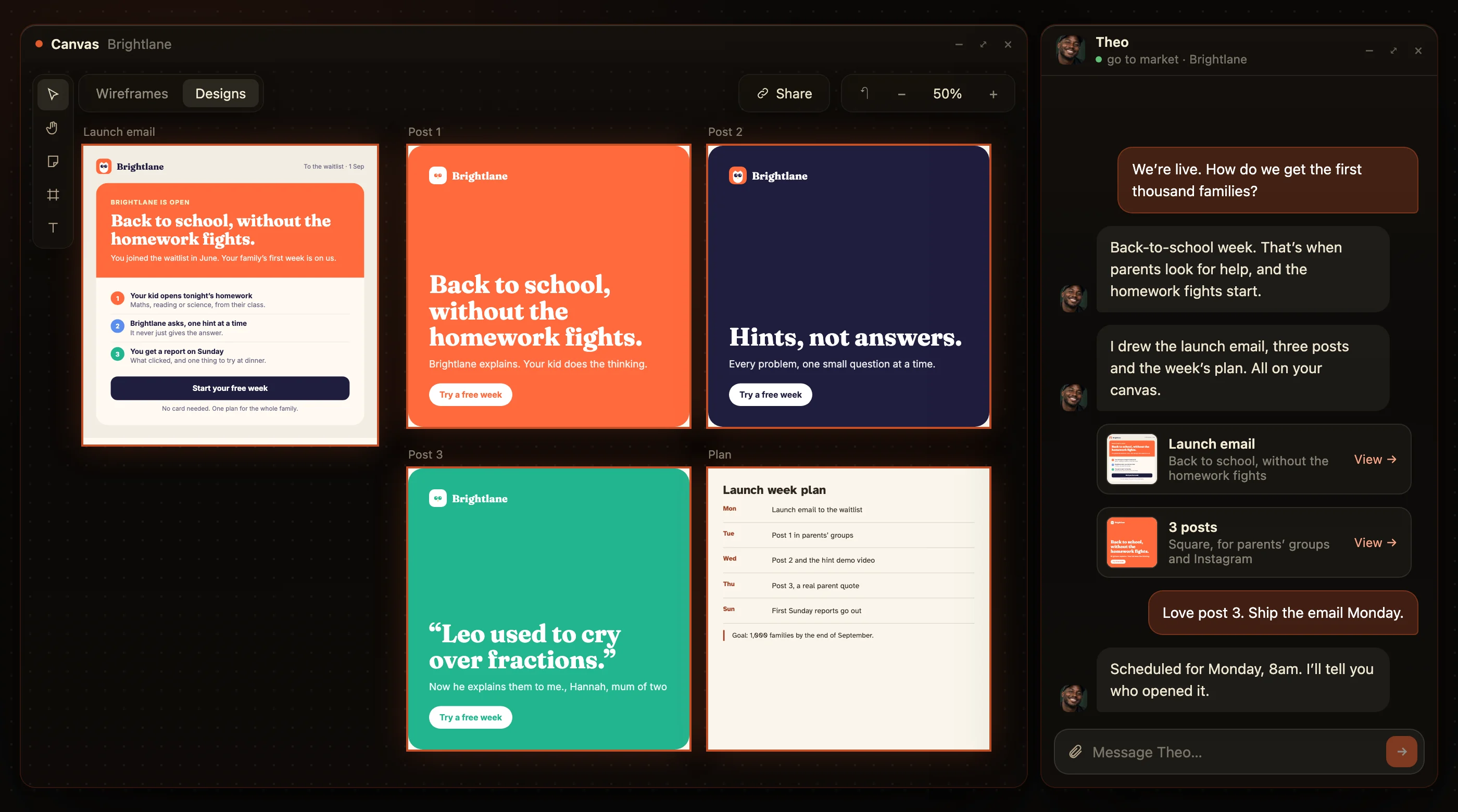
Theo’s back-to-school launch for Brightlane: an email, three posts and the week’s plan

AI for freelancers: common questions.

What is the best AI tool for freelancers?

One that shows the client every page before you build and hands over clean code after. HuntingHydra does both, so you build once.

Can my client see the plan?

Yes. Send the link; the client reads every page and leaves notes on the exact part.

Who owns the code?

The code is in a GitHub repo you control, so you can hand it to the client.

How many projects can I run at once?

Each client is its own canvas. Higher plans run several projects at the same time.

Can I build websites and landing pages, not just apps?

Yes. Sites, landing pages and apps are built the same way.

What does it cost?

From $20 a month on the model you already pay for, three days free.