HuntingHydra
AI for designers

AI for designers.
Direct the look. Every page follows.

No more designing from a paragraph or redrawing every page. Every page comes to you sketched with the words on it. You direct the look, and what you approve is what gets built.
Three days free. Then from $20 a month.
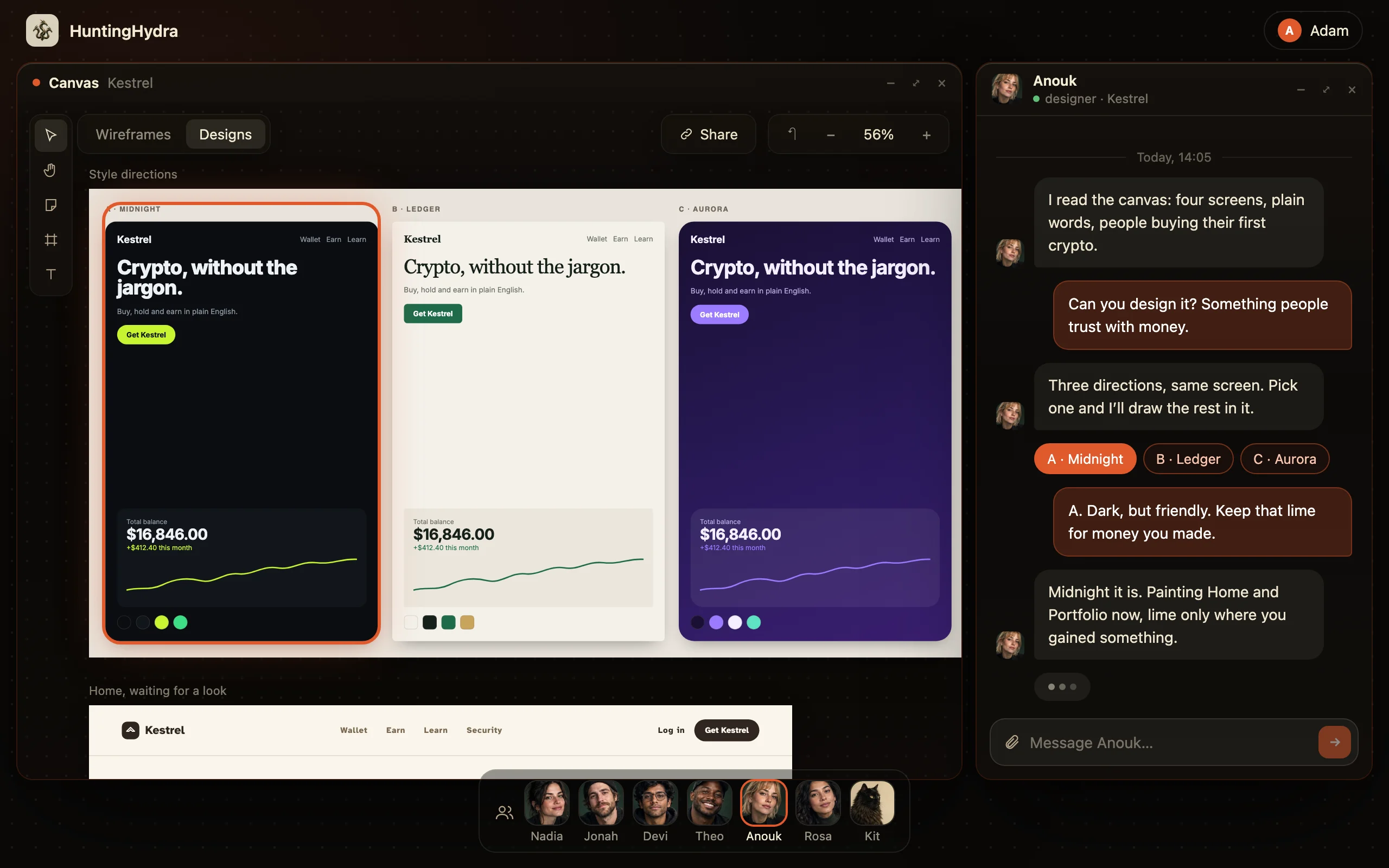
Anouk offers three design directions for the same Kestrel screen, and the pick in her chat
Every page first
Sketched before anything is built
Your edits
Always free
Front to back
Database, logins, a live address
Your code
In your GitHub
The old way

You have been designing from a paragraph.

Imagine the pages, draw them, wait to hear you imagined wrong.
  1. WaitThe PRD arrives as text
  2. YouImagine the pages
  3. YouPrototype them
  4. WaitFeedback, in a week
  5. YouTweak and resend
  6. WaitThe dev interprets your file
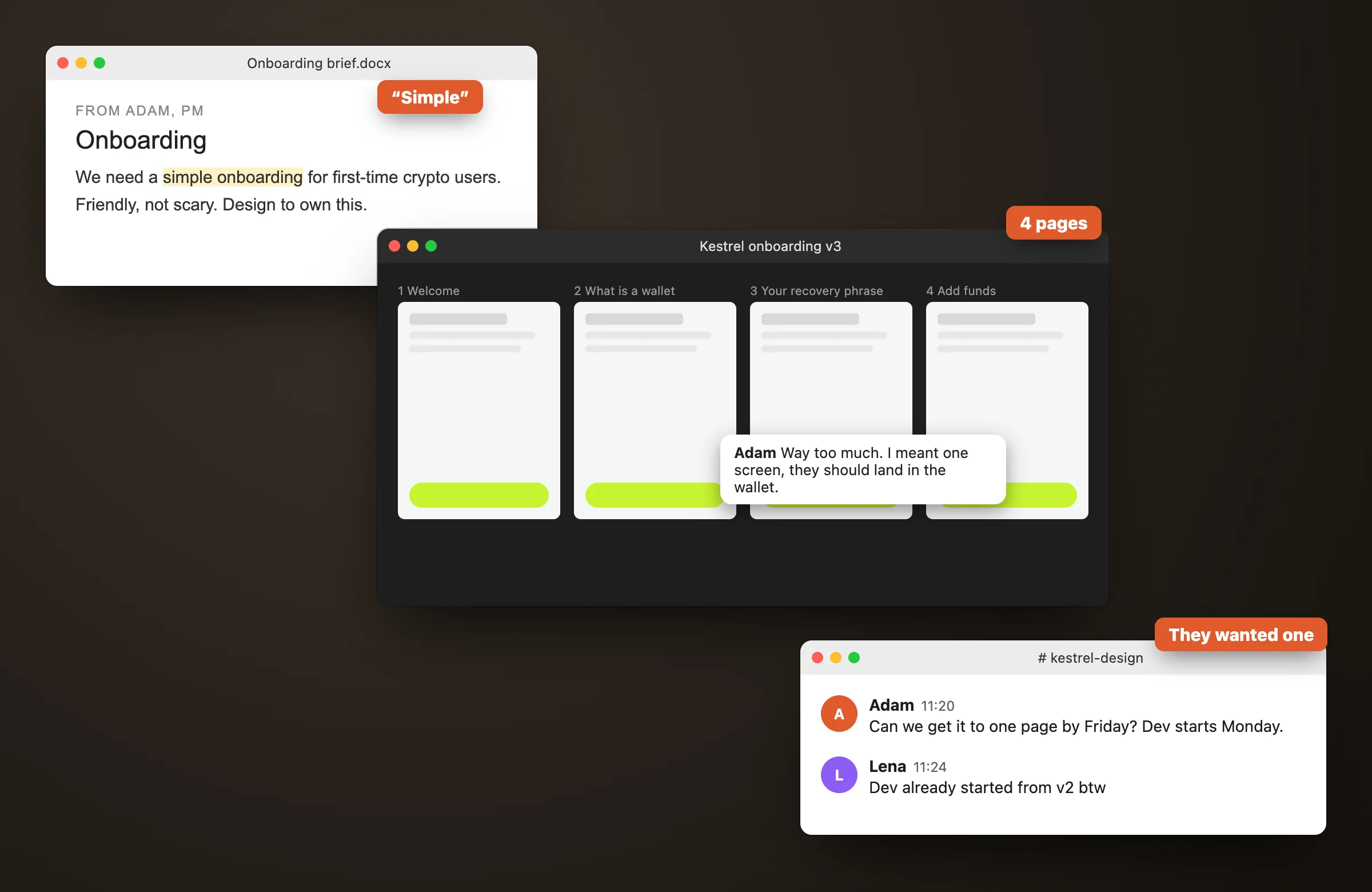
A brief asking for simple onboarding, a design file with four frames, and the PM saying they wanted one
“The PM wrote “simple onboarding”. You drew four pages. They wanted one.”

The best AI tool for designers takes the guessing out of the brief and keeps the design intact through the build. HuntingHydra hands you every page sketched with its words, starts you on three design directions, lets you move and change anything by hand, then builds exactly the design you approved.

Sketch and design, on the same page.

Flip any page between the sketch and the design. Change the sketch and the design follows, so the two never drift apart.
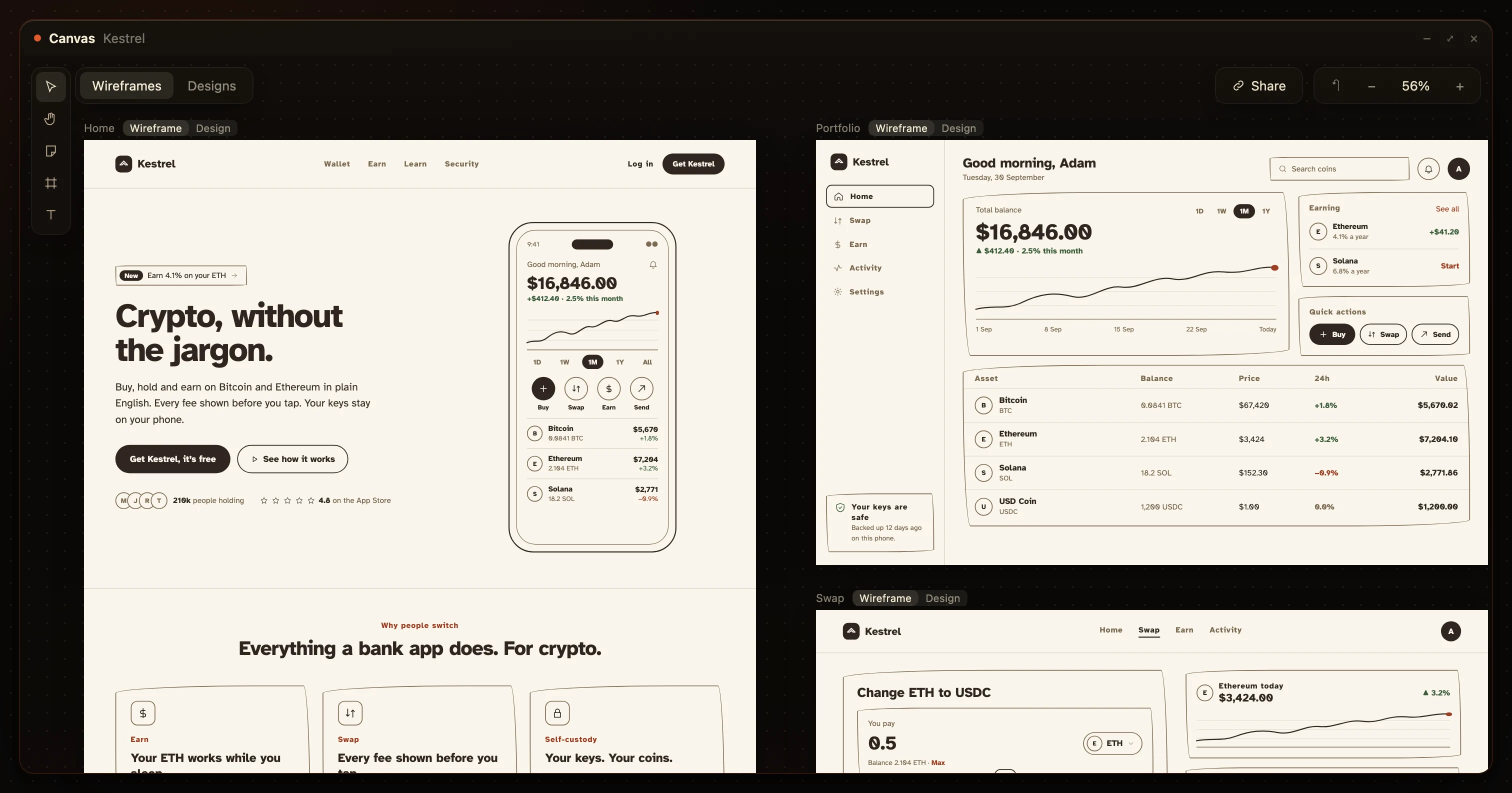
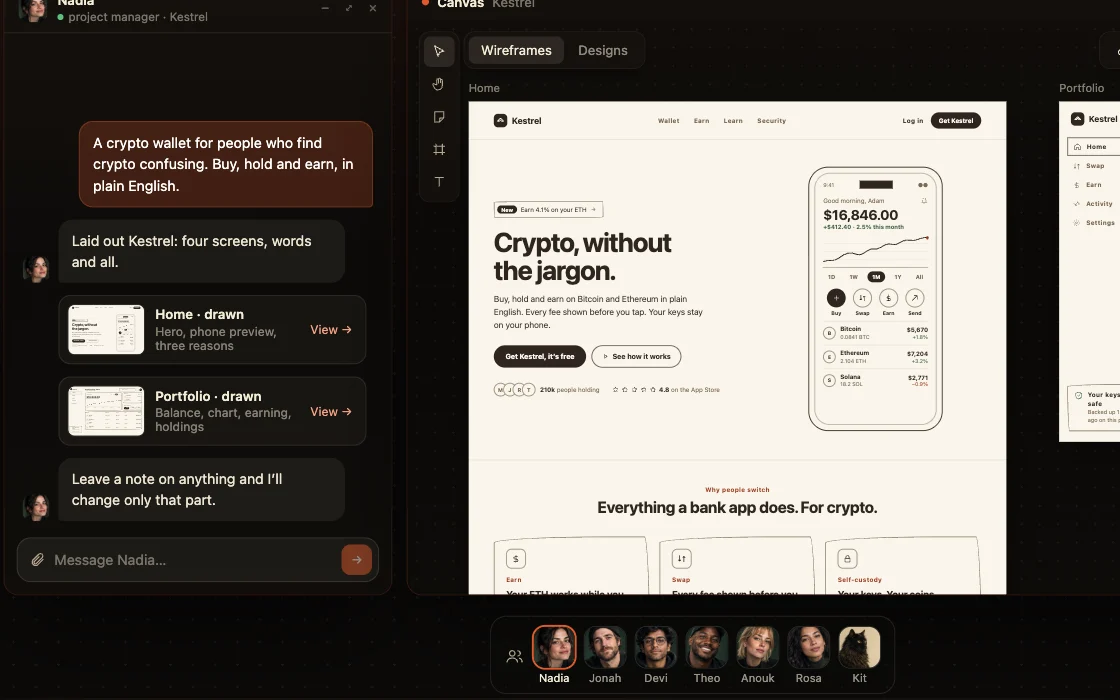
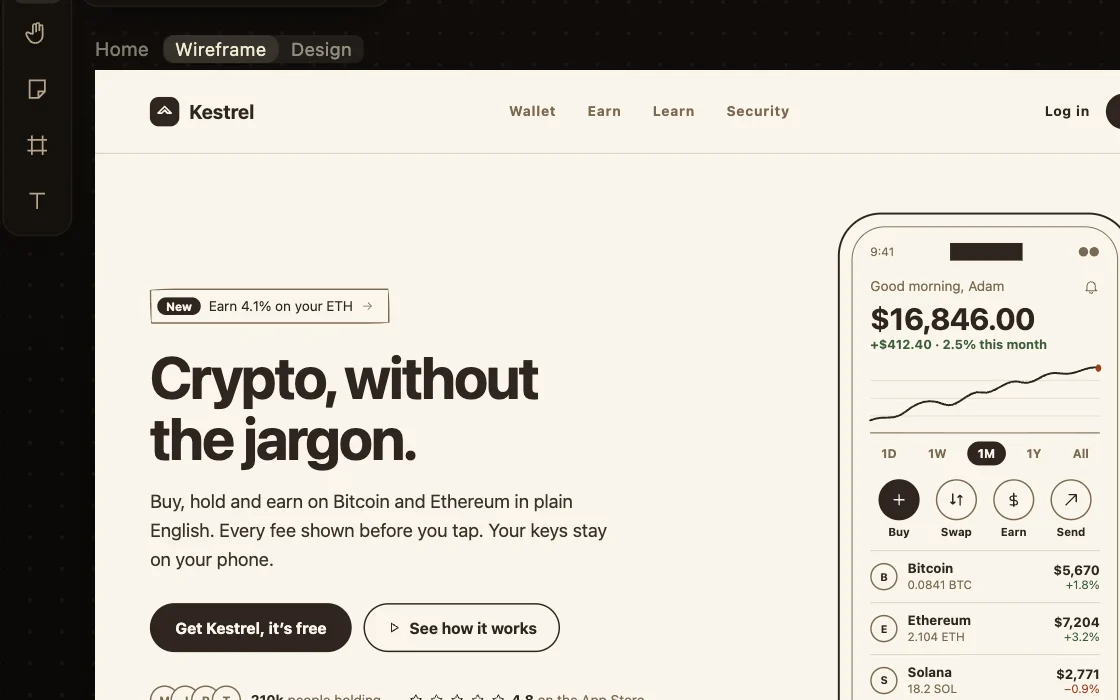
The Kestrel pages as wireframes on the HuntingHydra canvasWireframeDesign

The brief as pages, and your layer over it.

Nothing to imagine, so nothing to misread.
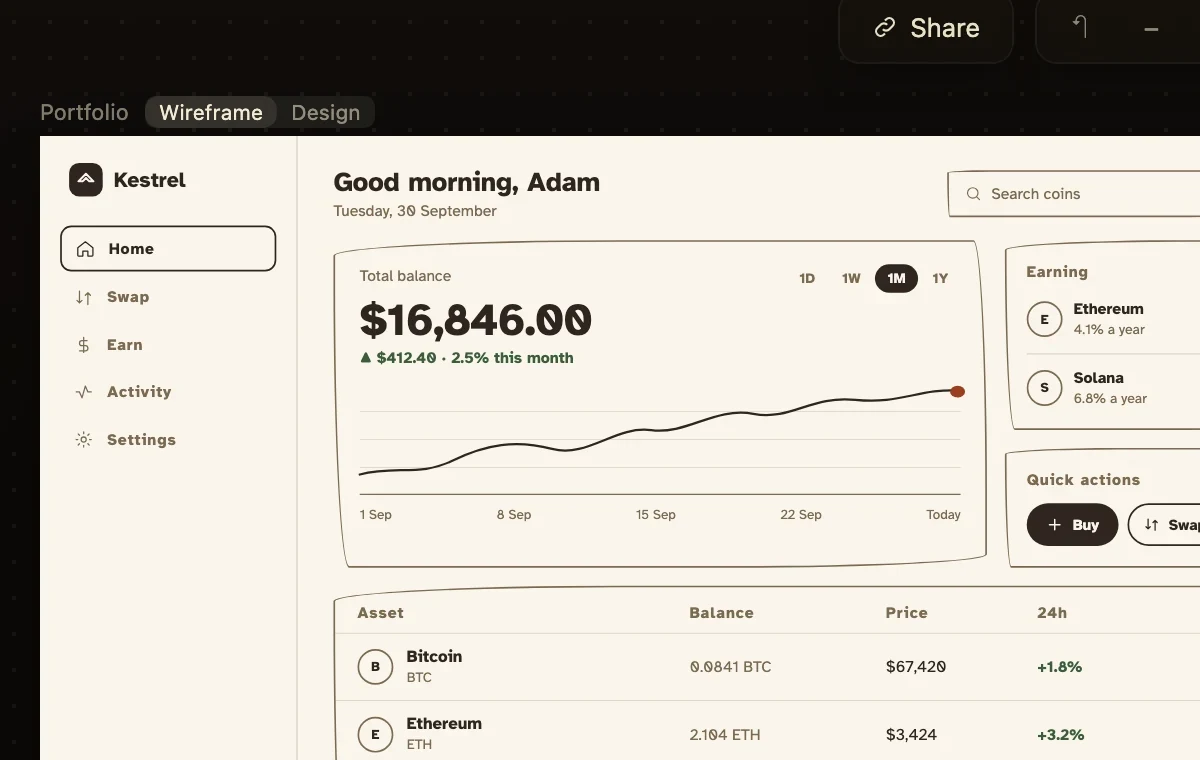
The brief. The page sketched, with the words on it.
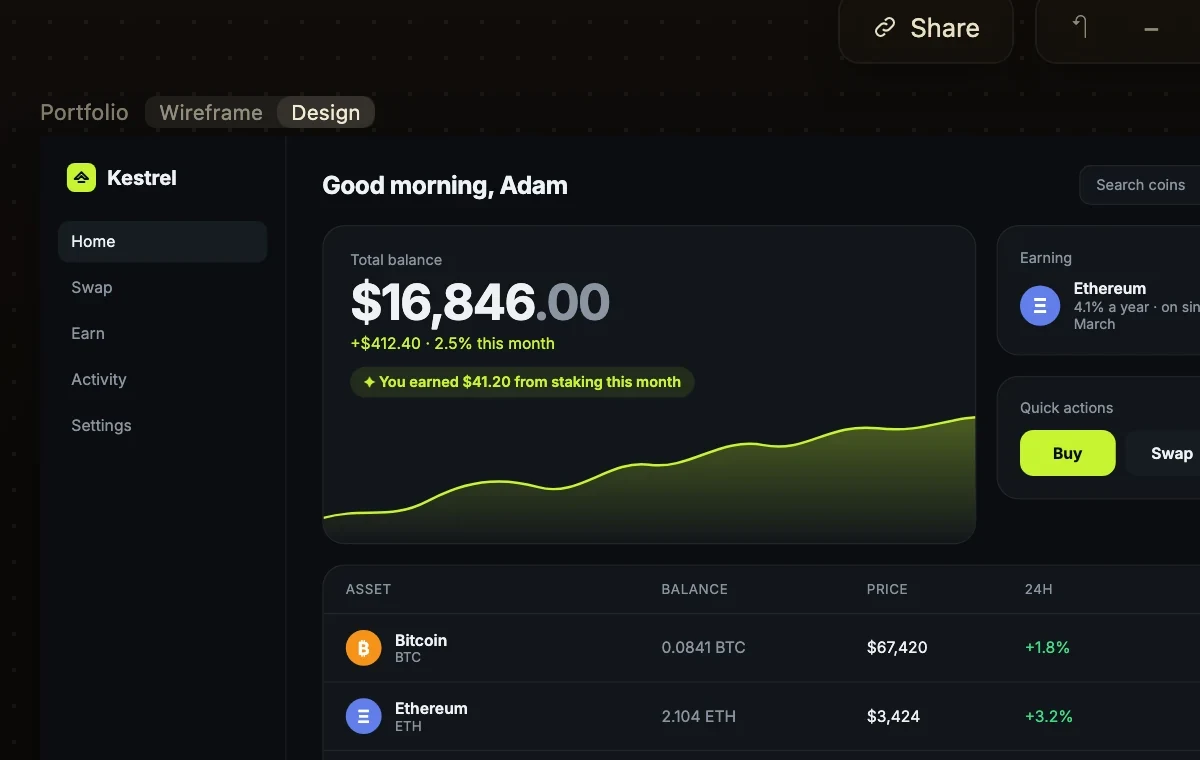
The Kestrel portfolio page as a board
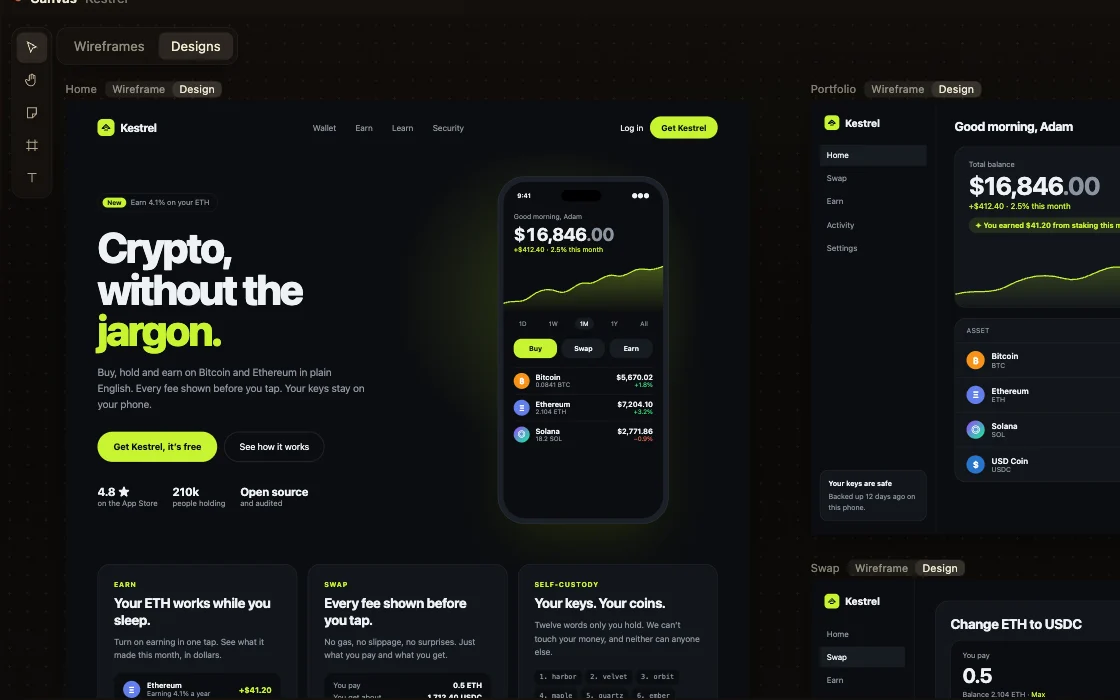
Your layer. One of three directions, over the same page.
The same portfolio page, designed

The direction you picked, on every page.

Pick one of three directions and Anouk paints every other page in it: the same type, colours and components, page after page.
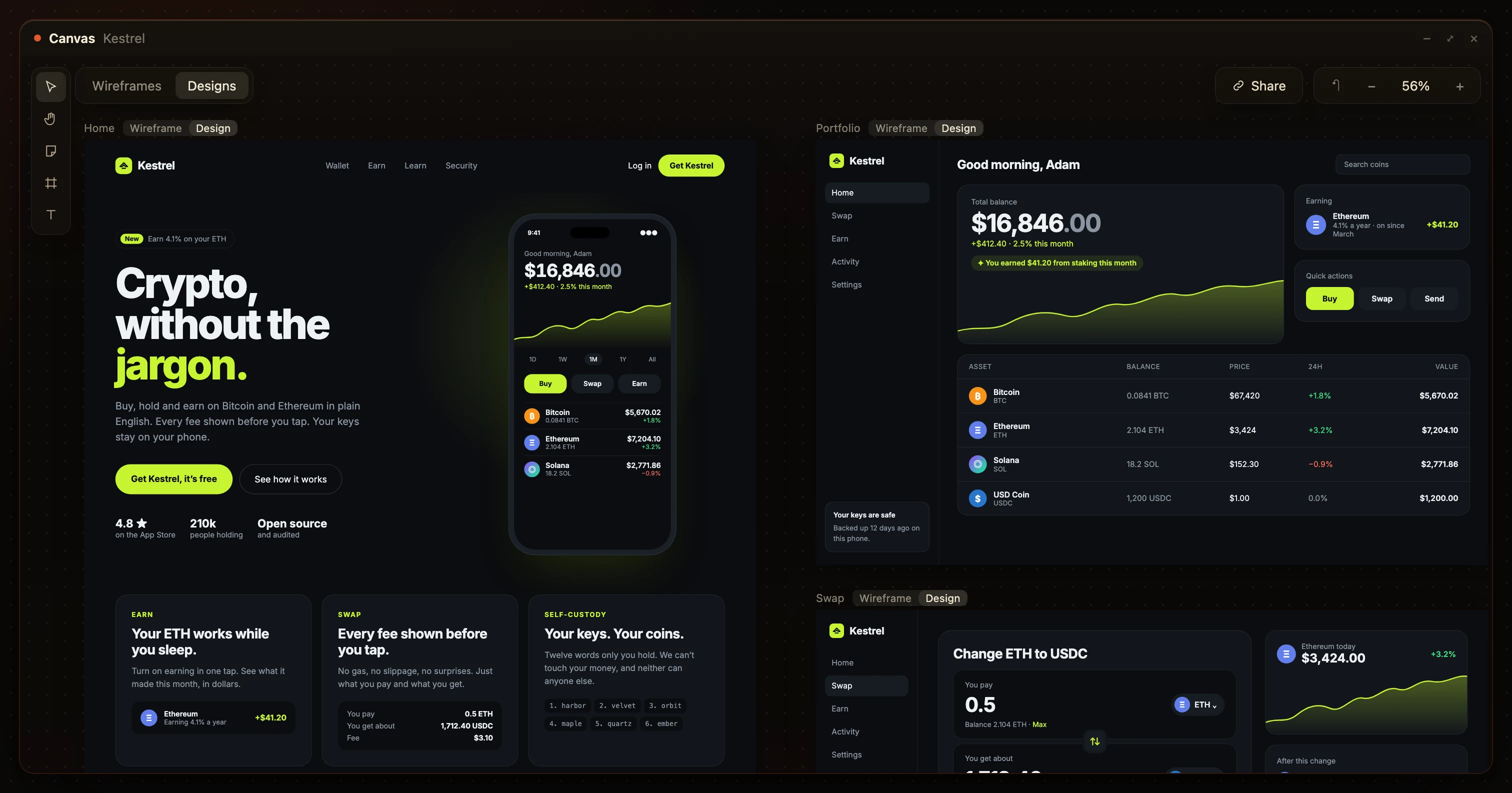
The same Kestrel pages, designed

What you get as a designer.

A project manager sketches the pages and a copywriter fills in the words, so you start on design, not on guessing.
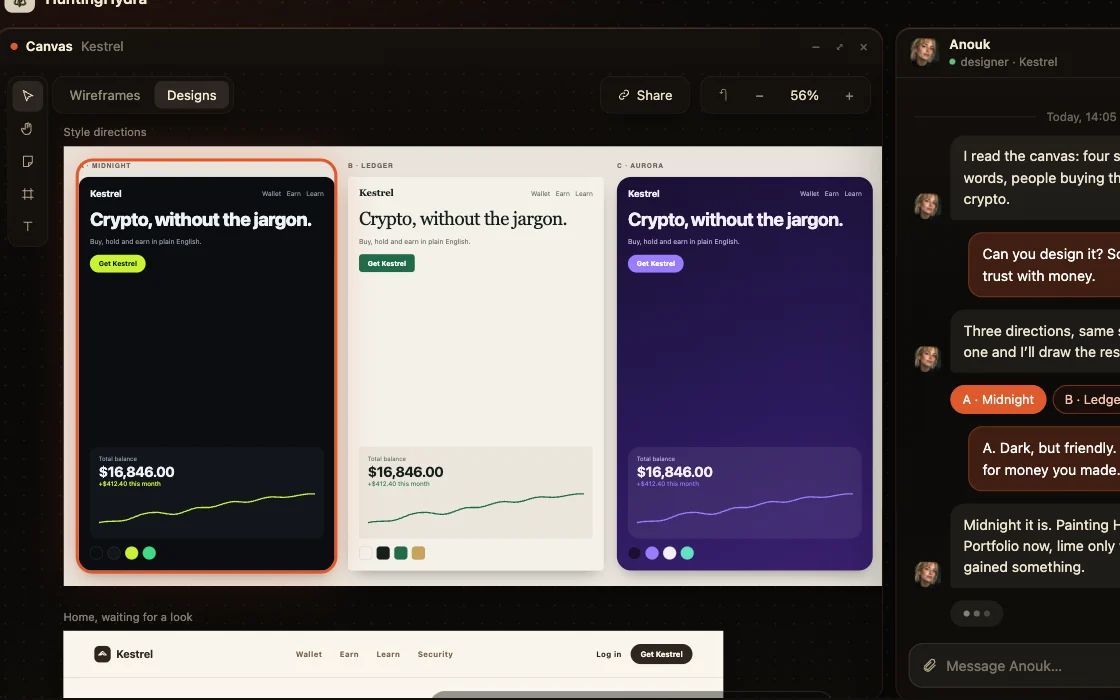
Three directions to start from, on the canvas

Three directions to start from

Pick one and every other page follows it.
Your design system on every page, on the canvas

Your design system on every page

Type, colour and components carried through.
Real words, never lorem ipsum, on the canvas

Real words, never lorem ipsum

Design around the copy that will ship.
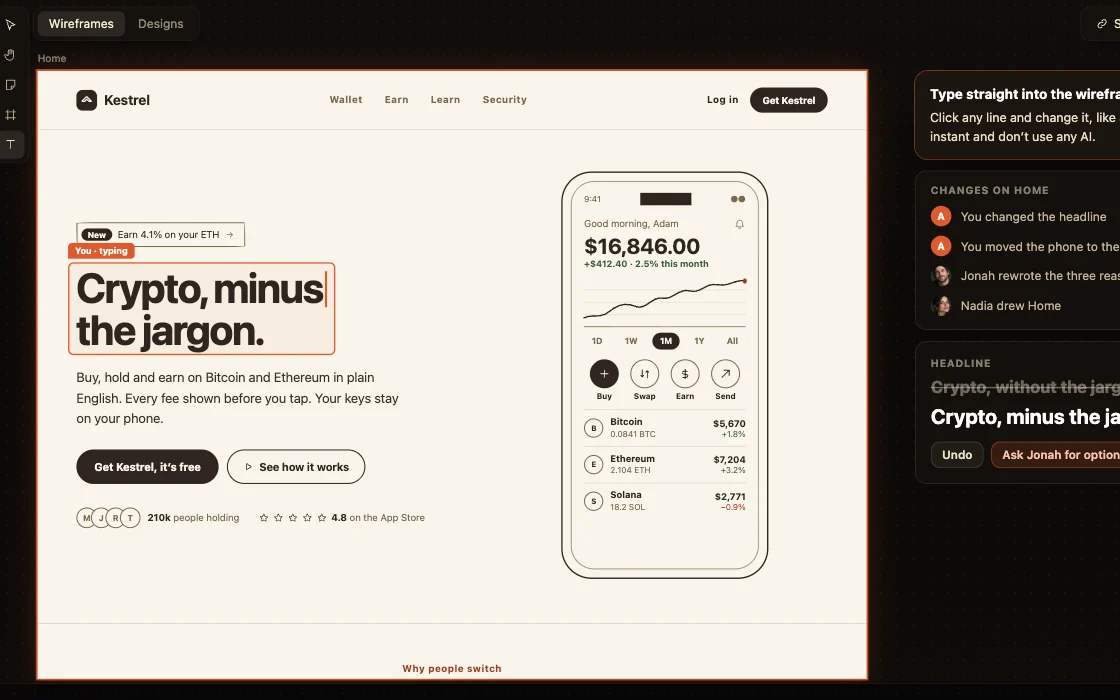
Wireframes you can edit by hand, on the canvas

Wireframes you can edit by hand

Move, resize and retype anything, free.
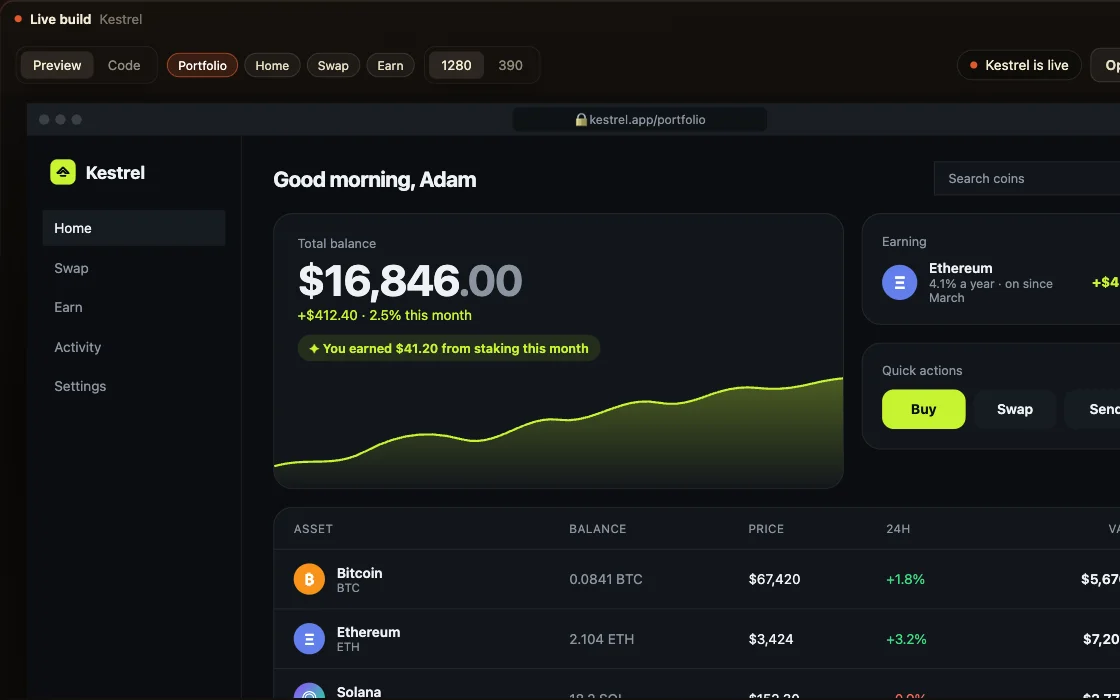
A build that matches the design, on the canvas

A build that matches the design

What you approve is what goes live.

Landing pages and whole apps, on the canvas

Landing pages and whole apps

One canvas for a single page or a platform.

Nadia
project manager

Nadia

Lays out every page of your product, and keeps them current.

  • Turns the first prompt into a canvas of boards
  • Keeps the plan current as you change your mind
  • Draws the data behind the pages before anyone builds it
On every project
Jonah
copywriter

Jonah

Rewrites every line so a person could have written it.

  • Rewrites every board on your canvas
  • Fixes the templated lines
  • Writes straight into the canvas, not into a doc
Devi
builder

Devi

Builds what you approved, then owns it.

  • Builds every board on the canvas, in the material Anouk set
  • Deploys it and hands you the real URL
  • Fixes what breaks after it is live
On every project
Theo
go to market

Theo

Picks one launch channel and writes the assets.

  • Picks the channel that fits what you built
  • Adds the launch assets to your canvas
  • Says no to the channels that will waste your week
Anouk
designer

Anouk

Three looks to pick from, then the rest in the one you chose.

  • Puts three directions on one board, same page, three materials
  • Draws every board for real in the one you choose
  • Leaves the wireframe layer underneath, on a toggle
Rosa
growth

Rosa

Adds the pages people search for, and the mail that brings them back.

  • Adds the search pages worth owning to your canvas
  • Draws the nudge, the empty state, the mail that brings them back
  • Hands the wording to Jonah so it still sounds like you
Kit
automation

Kit

Wires the step you keep doing by hand.

  • Finds the step you keep repeating and takes it off you
  • One automation at a time, never a catalogue
  • Always draws what you see once it has run

Your design, built the same day.

Devi, the AI developer, builds the pages you approved, so the handover is a live URL, not a file someone interprets.
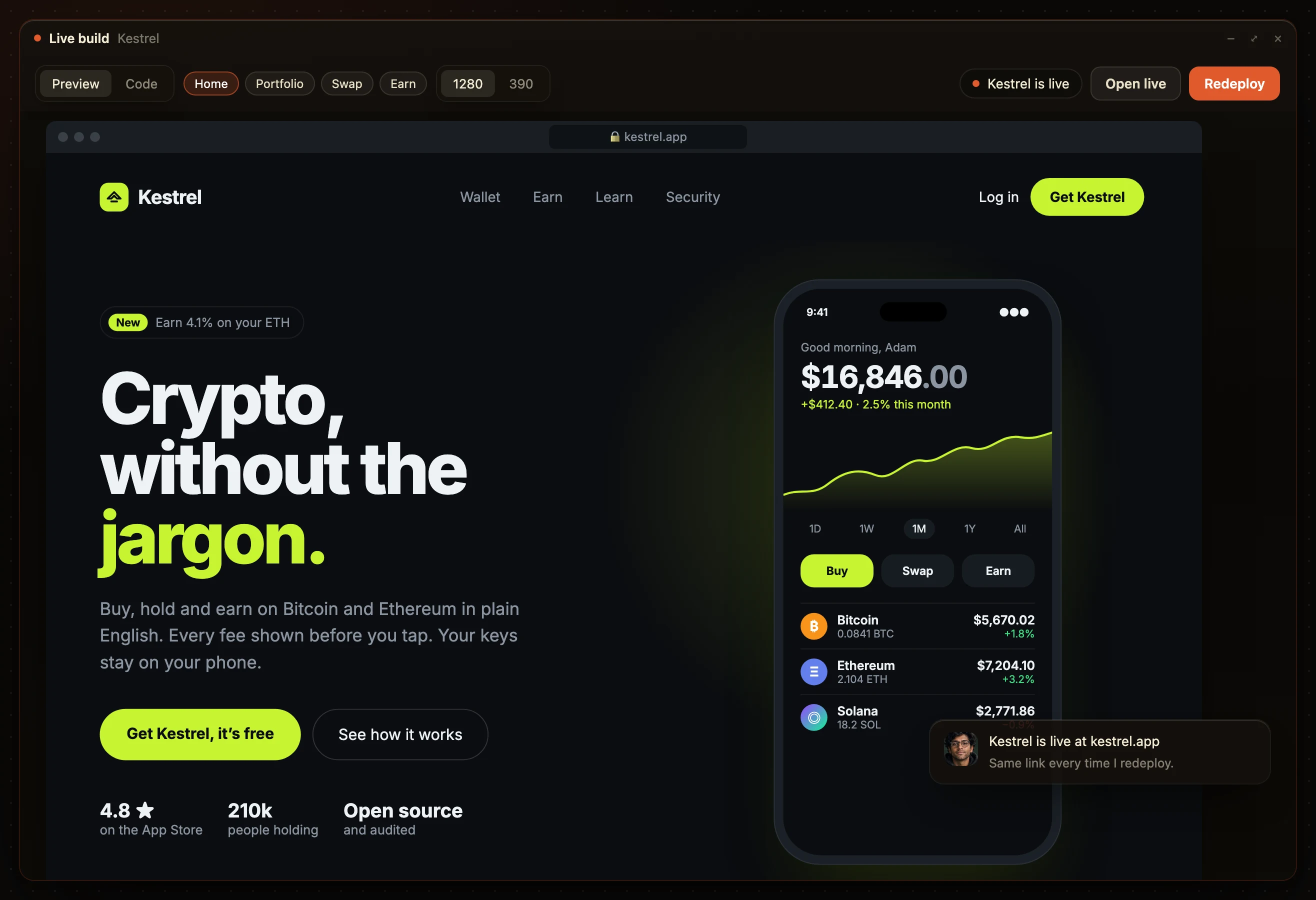
The live build window: Kestrel’s portfolio page online at its own address

AI for designers: common questions.

What is the best AI tool for designers?

One that gives you a clear brief and keeps your design through the build. HuntingHydra hands you sketched pages with real words and builds exactly what you approve.

Does it replace me?

No. Anouk, the AI designer, does the legwork of three directions and the remaining pages. You direct the look and decide what ships.

Can AI turn a wireframe into a design?

Yes. Sketch the layout, or let it be sketched for you, and the design is drawn over the same page in the direction you picked.

Can I bring my own design system?

Yes. Type, colours and components are carried onto every page.

Will the build match the design?

Yes. The build follows the approved pages, and you can compare them side by side.

What does it cost?

From $20 a month on the model you already pay for, three days free.