
The Lovable alternative
for visual thinkers.
Don’t describe your app to a chat box. See every page of it, move what’s wrong, and a team of AI employees builds exactly that.
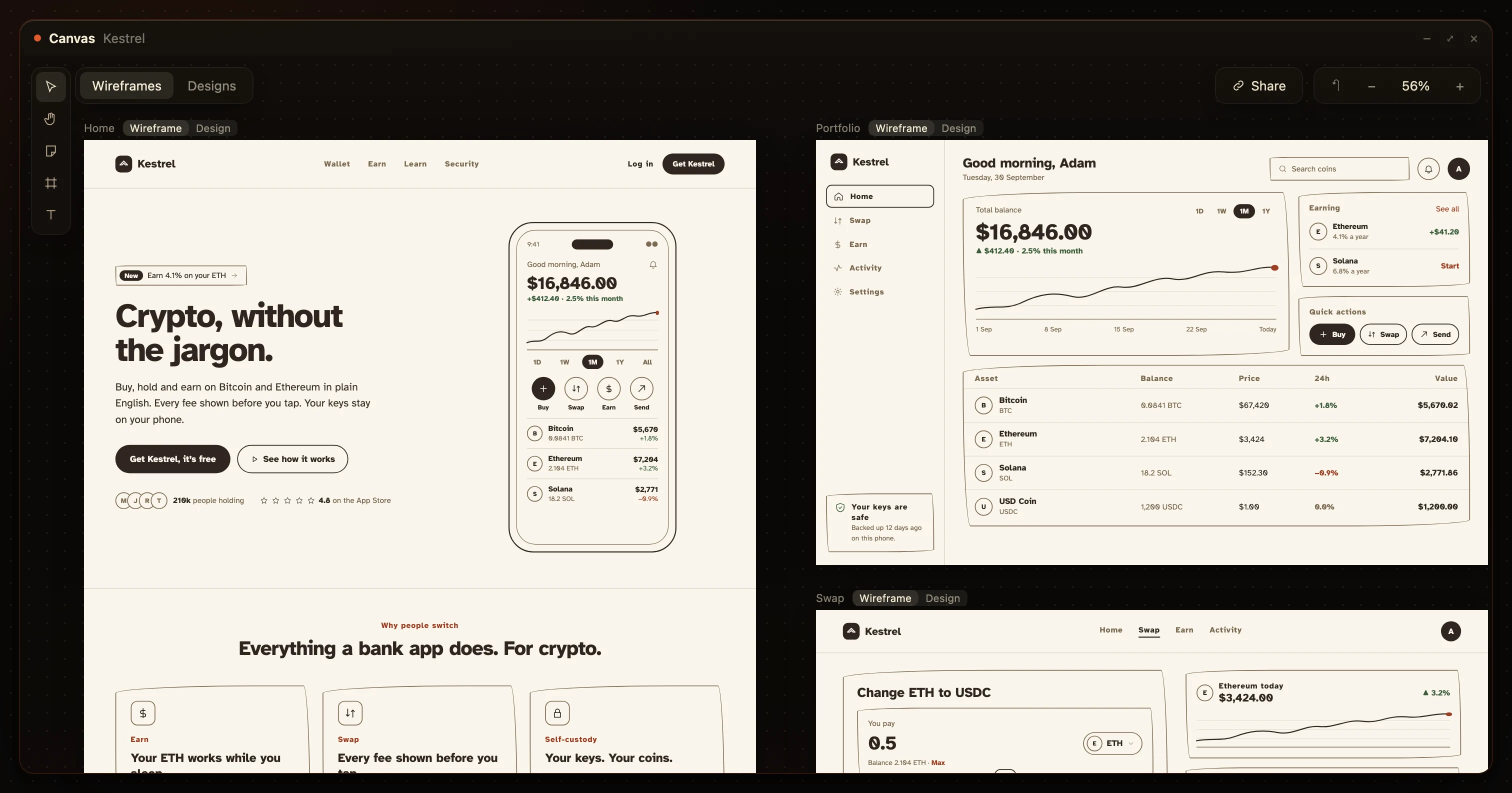
- Every page
- On one canvas, before code
- Drag it
- Your own edits are free
- Your repo
- Two-way GitHub sync
- From $20
- Three days free
What’s the best Lovable alternative?
If you think in pictures, HuntingHydra.
Lovable turns a chat prompt straight into code. HuntingHydra lays your whole app out as pages you can move and edit first, then a team of AI employees designs, writes and builds exactly those, with a real database and a live URL. From $20 a month, and your own edits never cost a thing.
- You’d rather see and change a page than describe it
- The pages are still being argued about
- You’re tired of paying credits to change your mind
- You already know every page
- You want code in the next ten minutes
- You need a free plan past three days
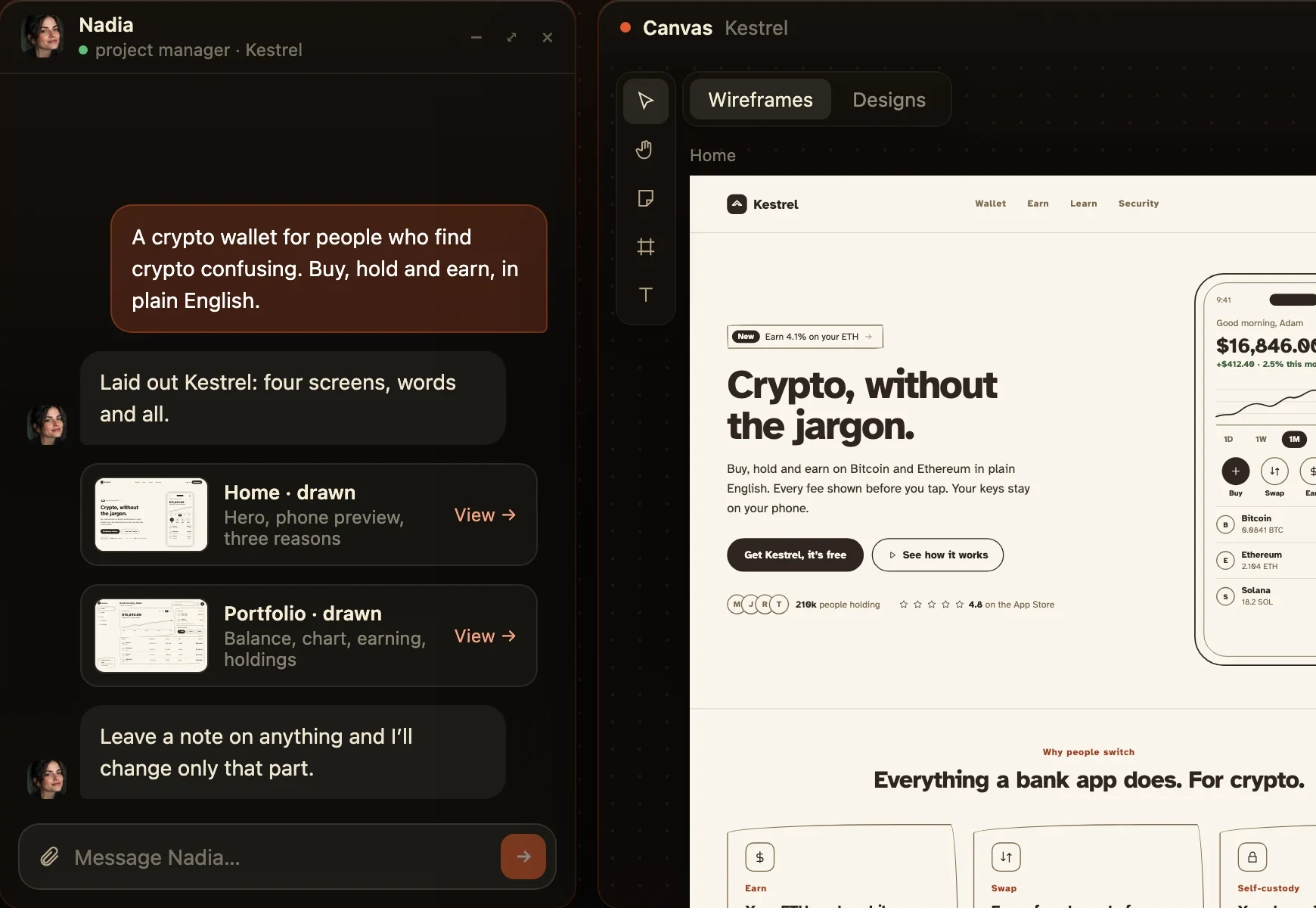
Moving a button shouldn’t cost a build.
Same job, twice. In Lovable you describe the move and each try spends a credit. Here you drag it, and the history says what changed.
move the phone to the right of the headline
Done. I updated the layout.−1 credit · 99 left
a bit lower, it covers the menu
Done. I updated the layout.−1 credit · 98 left
now it overlaps the buttons, nudge it back up
Done. I updated the layout.−1 credit · 97 left
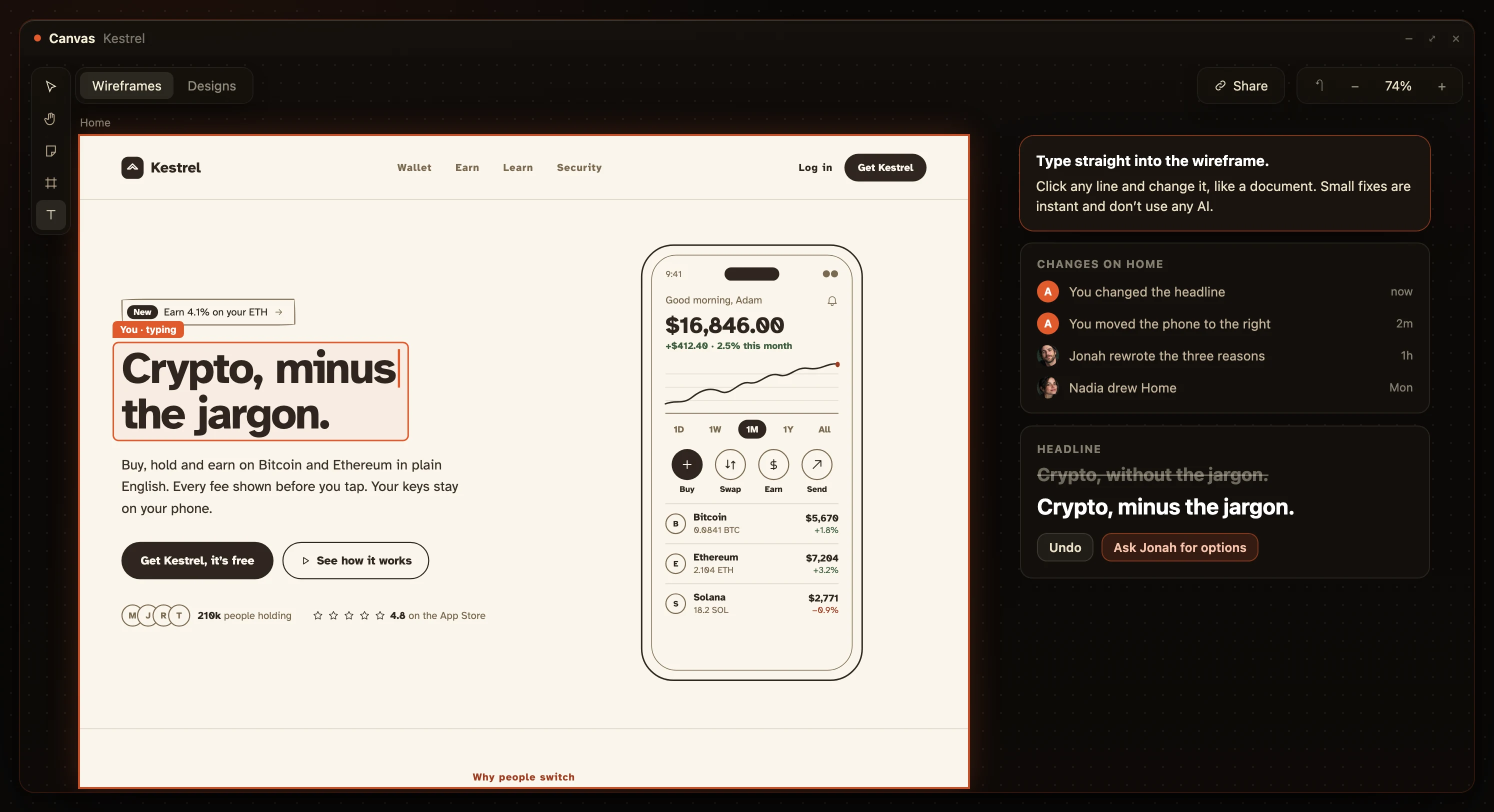
Every page, sketched and designed. Not one preview.
Lovable shows you a preview of the page it just built. Here every page is a sketch first, then the same pages designed. Drag the line.
WireframeDesign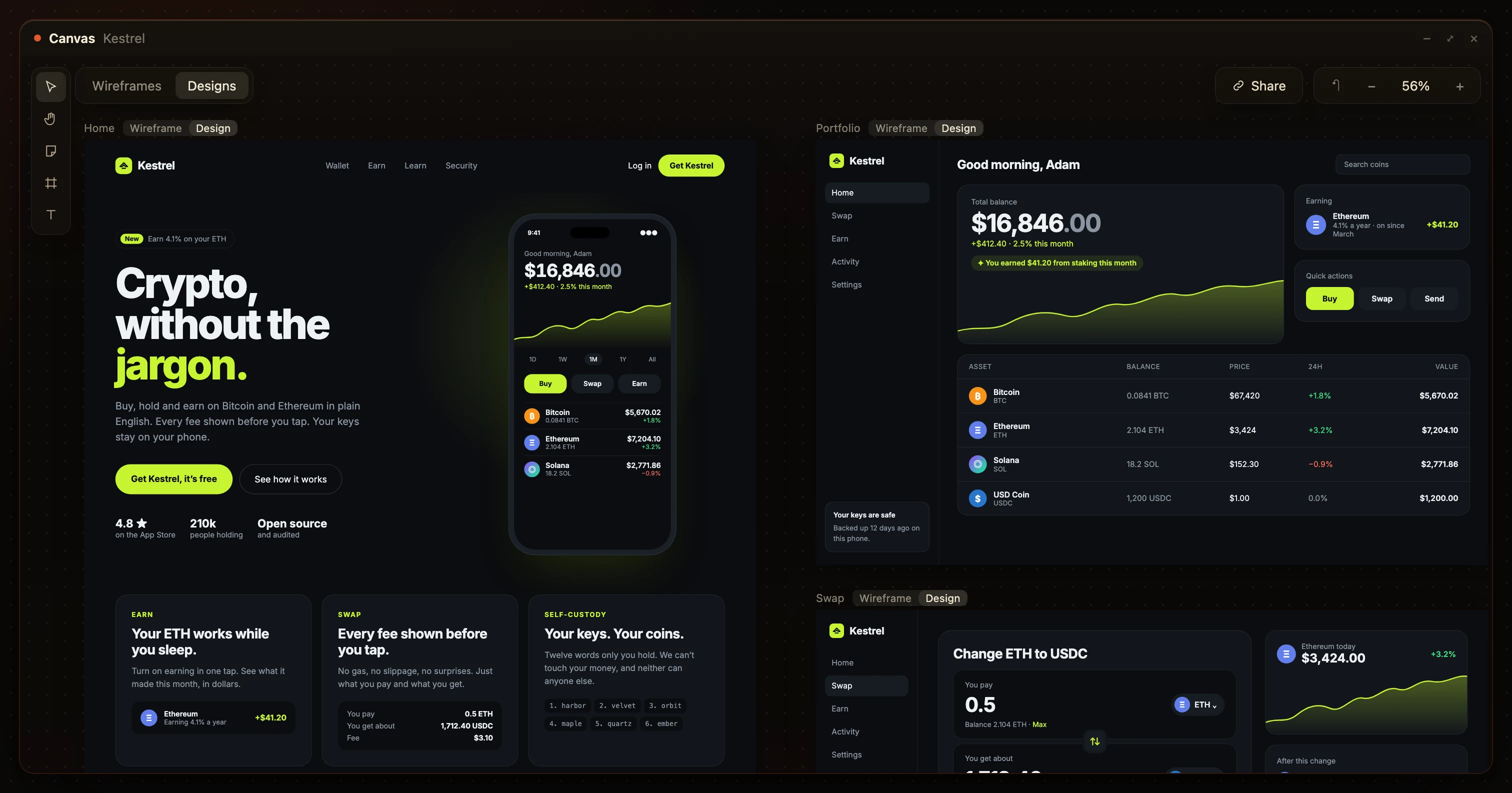
Lovable pricing vs HuntingHydra.
Lovable Pro is $25 for 100 credits, and every message spends them, even moving a button. HuntingHydra starts at $20, and everything you do on the canvas yourself is free.
An example first week, at 1 credit a message
- Lay out four screens−12
- Fix the onboarding copy−6
- Move buttons, try two layouts−11
- Rethink the swap flow−8
- Lay out four screensNadia, on your plan
- Fix the onboarding copyJonah, on your plan
- Move buttons, try two layoutsfree, you drag them
- Rethink the swap flowfree, you drag them
Lovable vs HuntingHydra, side by side.
Every row, read off Lovable’s own pricing and docs on 26 September 2026.
| Question | Lovable | HuntingHydra |
|---|---|---|
| Planning | ||
| You work in | A chat | A canvas of pages |
| Where the plan lives | A markdown file, .lovable/plan.md | Pages you can move |
| Rethink the plan | 1 credit a message | Drag it yourself, free |
| Design | ||
| Move a button | Draw and describe, credits | Drag it |
| Design directions | 3 previews of one page | 3 directions, then every page designed |
| See it before the code | One preview page | Every page, wireframe and design |
| Build | ||
| Straight to code | Faster | Plan first, build once |
| Your code | Two-way Git sync | Two-way GitHub sync |
| Database | Yes, Lovable Cloud | Yes, schema drawn first |
| After launch | ||
| Go to market | Not included | AI employees launch it and grow it |
| Price | ||
| Free | 5 credits a day, up to 30 a month | 3 days, every AI employee on |
| Paid plan | From $25, 100 credits | From $20 |
| Your own edits | Mostly credits | Always free |
Lovable’s column read on 26 September 2026 off lovable.dev/pricing, Plan mode, Visual edits and Design guidance. If a row has moved, tell us and we’ll fix it.
Switching from Lovable? Keep your repo.
Lovable syncs your project to GitHub, so moving over starts by connecting that repo.
Connect the repo
Your code comes in with its history, and the sync runs both ways from then on.
Devi builds on it
He reads what’s there first. If it isn’t Next.js yet, he moves it across as he builds.
Plan only what’s next
Nadia lays out the pages you haven’t built, with the data behind them.
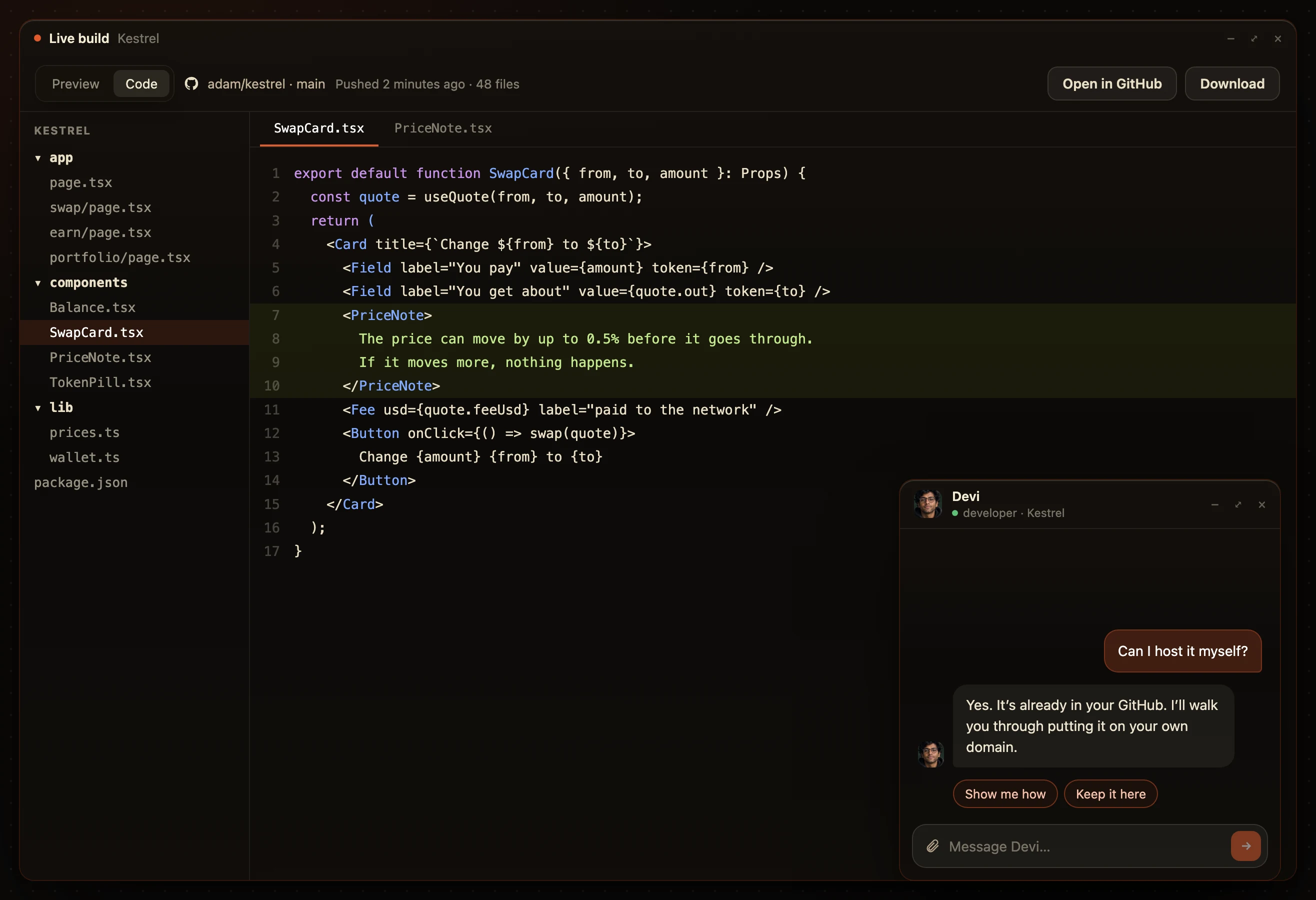
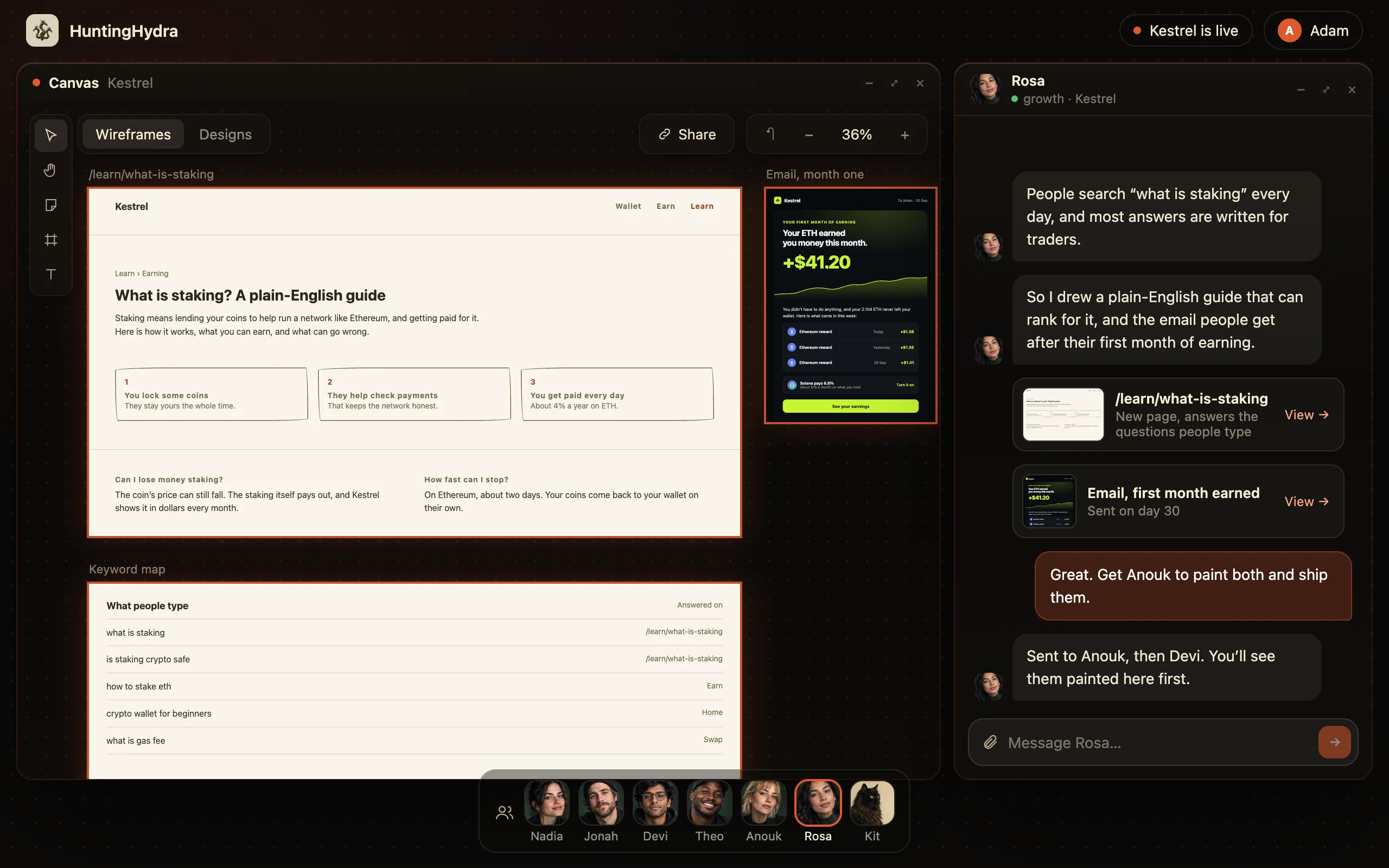
Lovable stops at the build. Here the team keeps going.
The launch posts, the pages people search for and the emails that bring people back, from the same team.
Lovable alternative: common questions.
How is HuntingHydra different from Lovable?
Lovable goes from a chat prompt straight to code. HuntingHydra lays every page out as pages you can move, designs them, then builds exactly those pages.
Is HuntingHydra cheaper than Lovable?
Lovable Pro is $25 for 100 credits, and every message spends them, including moving a button. HuntingHydra starts at $20 a month. Your own edits on the canvas are free; only the AI employees’ work uses tokens.
Can you move things visually in Lovable?
Partly. You can retype text in the preview, 100 free edits a day. To move or restyle something you draw on the preview and describe it, which costs credits. Here you drag it.
Does Lovable have a free plan?
Yes: 5 credits a day, up to 30 a month, without code editing or custom domains. HuntingHydra has a three day trial with every AI employee on.
Can I move my Lovable project to HuntingHydra?
Yes. Connect the GitHub repo your Lovable project syncs to. The code comes in with its history and the sync runs both ways. Lovable apps are Vite and React and ours run on Next.js, so Devi moves the pages across as he builds, working from your code.
Can I build a full stack app with a real database?
Yes. It ships as Next.js with Postgres, accounts with roles and a live URL. The schema is drawn on the canvas before the build.
Why does planning it first make the AI build better?
A chat box decides the code, the data, the layout and the words in one pass. Deciding the layout and the words first leaves the builder nothing to guess.
Do I need to know how to design?
No. You put the pages in order and fix what reads wrong. Anouk does the design.
Other Lovable alternatives, and where each keeps the plan
- Bolt.newA chat thread, with Plan Mode in the chat
vs Bolt.new → - ReplitAgent’s task list, plus a design canvas of mockups
vs Replit → - v0The design you bring, from Figma or a screenshot
vs v0 → - Base44A Discuss thread, metered per message
vs Base44 → - CursorA Markdown file of file paths and to-dos
vs Cursor → - WixA site in the Wix editor, from a prompt
vs Wix →
See every page first. Then build it once.
Three days free with every AI employee on, then from $20 a month.