
AI Marketplace·Positioning
ICP Research Workflow
POSITIONING

ICP Research Workflow

Who's actually buying, what triggered it, and why they chose you.

PRO

Sign in to unlock. All skills included — prompts, workflows, templates.

Finds the trigger event, the job your product gets hired to do, and why your best customers didn't stick with the obvious alternative. The foundation every SaaS marketing strategy gets built on.

Works withClaudeChatGPT

Built on JTBD methodology · Used before every positioning sprint

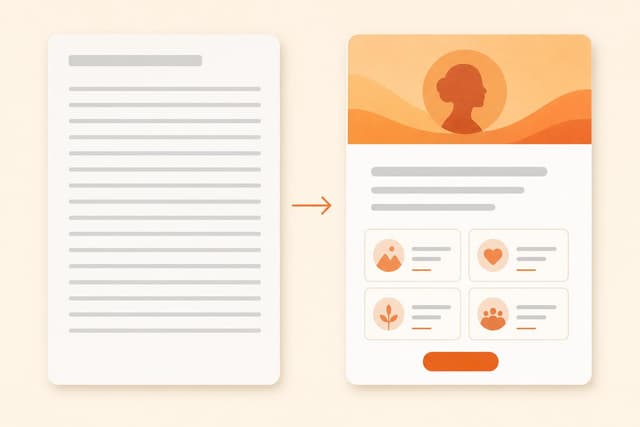
Most founders have an ICP that reads like a LinkedIn filter: "B2B SaaS company, 50-200 employees, VP of Marketing." That's a demographic, not an ICP. It tells you nothing about why someone buys, when they buy, or what they were doing the week before they found you. Paste this prompt into Claude or ChatGPT. It asks what you already know about your best customers, then excavates the real pattern underneath — the trigger event, the job they hired your product to do, the alternative they left behind, and who looks like a fit but never buys. Output: a complete ICP document with messaging implications and a guide to finding more buyers like them.

  1. Click "Copy prompt" above and paste it into Claude or ChatGPT to start the session.
  2. The AI asks about your best 3–5 customers: their roles, what they were dealing with when they found you, and what made them buy. Answer in whatever format you have — notes, memory, or bullet points.
  3. The AI excavates the trigger event, job-to-be-done, the real alternative, and the anti-ICP from what you share.
  4. You'll receive a complete ICP document: buyer profile, trigger, JTBD in customer language, anti-ICP, messaging implications, and where to find more people experiencing the trigger.
  5. If you want to go deeper, the AI will generate a 6-question customer interview script targeting any gaps in the ICP.
  6. Use the messaging implications section first — that's where the ICP changes what you say on your homepage and in outreach.
From a real ICP synthesis for a B2B SaaS onboarding tool:

TRIGGER EVENT:
A customer goes dark during onboarding and churns before getting value. The post-mortem reveals three people on the CS team thought someone else was handling week 3. The head of CS has to explain it to the CEO. That week, they start evaluating tools.

JOB-TO-BE-DONE:
"When our CS team grows past 2 people and we're managing 20+ concurrent onboardings, we want to give everyone a single place to see where every customer stands so nothing falls through the cracks and we're not dependent on any one person's memory."

IN THEIR WORDS:
"Before this, the only person who knew the full picture was me. If I was out sick, we'd miss things. That's not a team; that's me with helpers."

ANTI-ICP:
Companies where one person runs all customer relationships and intends to keep it that way. Early warning sign: "We have 1 CS person and they're doing great" (no coordination problem to solve).

OPENING LINE THAT LANDS:
"When your CS team grows past 2 people, onboarding stops being something everyone just knows. It becomes something everyone assumes someone else is handling."

Install this skill in Claude

Claude (web or desktop)

Copy the skill and paste it into a new chat, or save it as project instructions so every conversation in that project starts with it loaded.

Claude Code

Save the skill as a SKILL.md file in your .claude/skills folder. Claude Code picks it up automatically and activates it when the task matches.

ChatGPT or Gemini

The same skill text works as a custom instruction or Gem. Paste it at the start of a chat, no changes needed.

New to skills? Read the full guide: how to install and activate Claude skills or start with what Claude skills are.