
AI Marketplace·Positioning
Positioning Statement Builder
POSITIONING

Positioning Statement Builder

Eight sections to the one thing you actually compete on.

PRO

Sign in to unlock. All skills included — prompts, workflows, templates.

An interactive AI session that forces the real positioning decision: who you're for, what you win on, and what you're explicitly not. Works section by section so you don't just think through it - you commit.

Works withClaudeChatGPT

Built on the same methodology used in HuntingHydra positioning sprints · Forces a real decision, not a pretty sentence

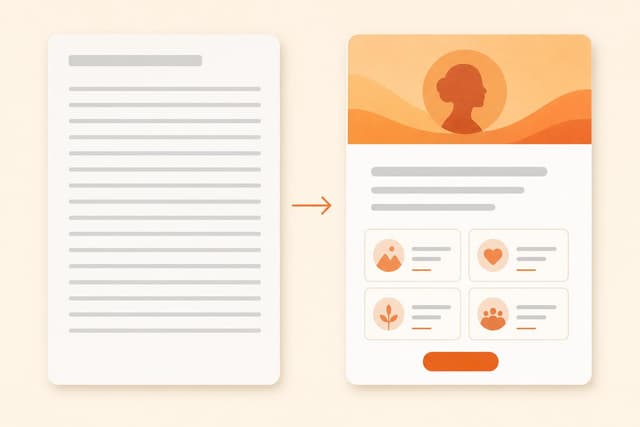
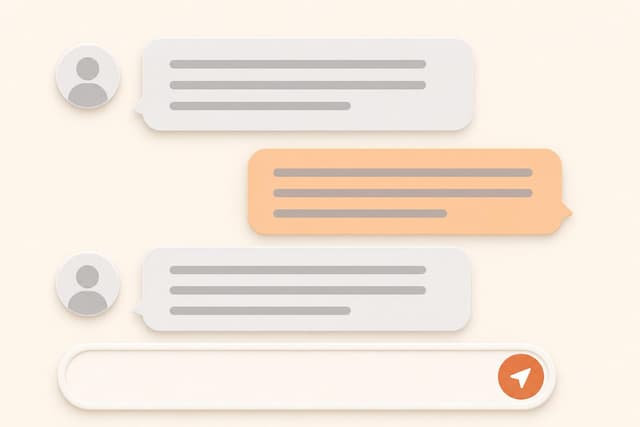
Most founders know their positioning is off. The product works. People who try it like it. But the website is vague, the pitch doesn't land cleanly, and sales conversations feel harder than they should be. The usual fix is to tweak the copy. That's not the fix. Positioning is a strategic decision - who you're for, what you win on, and what you're explicitly not - and it has to be made before copy will work. This is an interactive session with AI playing three roles: a Strategist who sees where you could own something specific, a Provocateur who refuses to accept vague answers, and a Mentor who catches the classic founder mistakes before you make them. Eight sections, one at a time, with real pushback at each stop. Output: a one-liner specific enough to exclude someone, an anti-position naming who it's wrong for, three commit locations for this week, and a 30-day test plan. Not polished words - a real decision.

  1. Click "Copy prompt" above and paste it into Claude (Sonnet or above recommended) or ChatGPT. Higher models give harder strategic pushback.
  2. Paste it as your first message in a new conversation. The AI will do Phase Zero silently — pulling what it already knows about your business from the conversation or any files you've shared.
  3. Read the Mirror (the opening reflection). Correct anything wrong. This is the AI's read of your current positioning problem before it asks a single question.
  4. Work through sections one at a time. Say NEXT to advance. Do not rush - sections 2 (best customers), 3 (the real alternative), and 5 (the wedge) are where the real decision happens.
  5. At Section 6, the AI drafts the one-liner first. Push back if it's wrong. Iterate until the sentence could not apply to a competitor - that's the test.
  6. Copy the final export: one-liner, who it's for, your edge, your anti-position, three commit locations, and 30-day test signals. That's the deliverable.
From a real session with a B2B async communication tool (3 co-founders, post-seed, 150 paying customers):

THE MIRROR:
Your current positioning reads something like "async communication for remote teams." That's a category, not a position. Slack and Teams are also async communication for remote teams. The question in front of you isn't how to say it differently - it might be which specific failure of those tools you're the answer to, and for which kind of team that failure is actually painful enough to switch for.

THE WEDGE:
Structured async for teams that don't want Slack culture - constant availability pressure, message pile-up, the expectation of a reply within the hour.

THE ONE-LINER:
"For teams that want to communicate without the expectation of constant availability - async by design, not by accident."

ANTI-POSITION:
Not for teams that want real-time coordination. Not for companies where "async" just means delayed Slack. If someone's looking for a faster way to message teammates, this is the wrong tool.

THE COMMIT:
1. Homepage H1 - replace "async for remote teams" with the one-liner
2. First line of outreach - open with the specific failure, not the feature
3. Intro call pitch - "we're for teams that have decided constant availability is a cost, not a benefit"

Install this skill in Claude

Claude (web or desktop)

Copy the skill and paste it into a new chat, or save it as project instructions so every conversation in that project starts with it loaded.

Claude Code

Save the skill as a SKILL.md file in your .claude/skills folder. Claude Code picks it up automatically and activates it when the task matches.

ChatGPT or Gemini

The same skill text works as a custom instruction or Gem. Paste it at the start of a chat, no changes needed.

New to skills? Read the full guide: how to install and activate Claude skills or start with what Claude skills are.